Building a Review Response Strategy Your Team Can Follow

Build a review response strategy your team can follow: who replies, what needs approval, response targets, escalation rules and a one-page policy.
Most businesses can write a decent reply to a review. What they struggle with is doing it every week, across every location and platform, when the person who usually handles it is on leave. A review response strategy is the written set of decisions that makes replying a routine instead of a favour: who replies, what needs a second pair of eyes, how fast, in what voice, and when to stop and escalate.
The gap is real. When we checked the Google replies of 149 multi-location Australian businesses for the Australian Google Reviews Index, only 39 replied consistently. Another 20 had replied for a while and then stopped, and 48 had never replied at all. Those businesses weren't picked at random, so treat the figures as an indication rather than a national rate. But "started, then stopped" is exactly what happens when replying depends on one person's spare time and nothing is written down.
This guide walks through the six decisions a strategy needs, then gives you a one-page policy you can fill in and hand to your team.
The six decisions in a review response strategy
- Ownership: who replies, and who covers when they're away.
- Triage: which reviews anyone can answer, and which need a manager.
- Timing: a response target you can actually hit.
- Voice: how replies sound, how they're signed, and what is never said.
- Escalation: the situations where the public reply waits for a senior decision.
- Review: how you check, each month, that it's working.
Everything else, such as templates, tools and training, supports one of these six.
Google review reply templates
20 replies you can copy and edit, from a 5-star thank-you to a fair answer to a 1-star complaint. Free, by email.
We'll email the templates from support@dinopix.com.au, then about one email a month with new review guides and Dinopix product news. Unsubscribe in one click from any email. Privacy policy
1. Decide who owns replies
"The team" is not an owner. Name a person for each location or platform, and a backup for when they're sick, on leave or flat out. In a single-site business that might be the owner with the office manager as backup. In a multi-location business it's usually each location manager, with someone at head office checking the escalations.
Write down three things for each owner:
- Scope: which locations and platforms they cover.
- Authority: what they can reply to on their own, and what goes to someone else (that's the triage table below).
- Cover: who takes over when they're away, and how the handover happens. A shared inbox that "someone" checks tends to mean no one does.
Ownership also decides who learns from the reviews. If a location manager replies to their own reviews, they see the complaints about their own site first, which is usually where they can be fixed.
2. Sort reviews into tiers
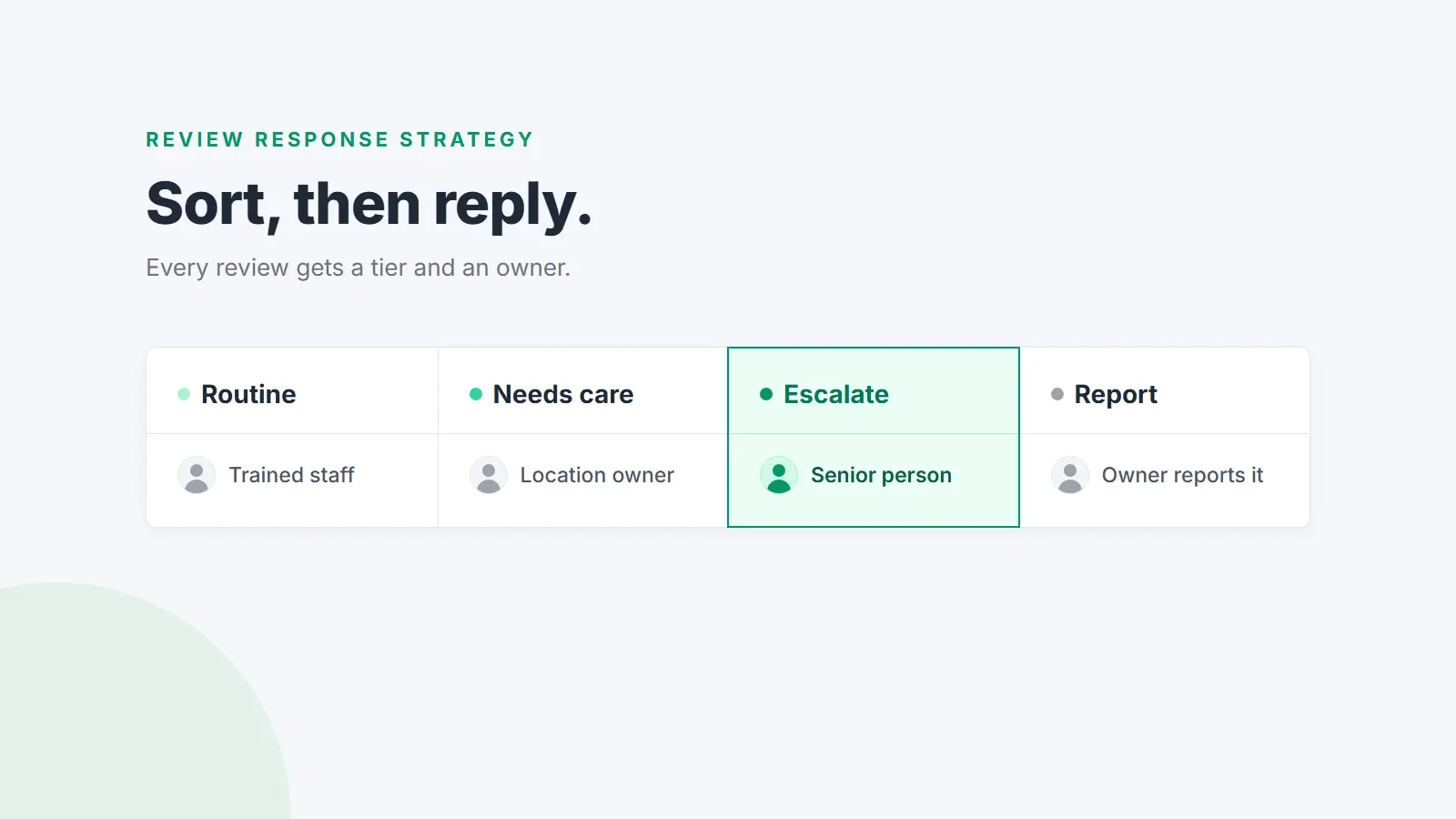
Not every review needs the same treatment. A short five-star review and a one-star review mentioning an allergic reaction should not go through the same process. A triage table tells everyone, in advance, what to do with each kind.
| Tier | What falls into it | Who replies | Approval |
|---|---|---|---|
| Routine | 4 and 5-star reviews that don't raise a problem | Any trained team member | None |
| Needs care | 3-star and mixed reviews, and 1 and 2-star reviews about service, wait times or price | The location owner | Optional second read for new staff |
| Escalate | Safety, injury, illness or allergies; legal threats; discrimination; anything naming a staff member; anything involving a patient or client's private details | A senior person | Always, before anything is posted |
| Report | Reviews that break the platform's rules: spam, off-topic, conflicts of interest, personal information, harassment | The owner reports it | A short, neutral reply is optional while the report is assessed |
Adjust the boundaries to your business. A dental practice will push more into "Escalate" than a café will. What matters is that the line is drawn before the review arrives, not argued about after.
For the "Report" tier, be honest about what counts. Google says not to report a review just because you disagree with it. Its policy covers specific problems such as fake engagement, conflicts of interest, off-topic content and personal information. Our plain-English guide to Google's review policy walks through each one.
3. Set a response target you can actually hit
You'll see claims that customers expect a reply within 24 hours, or within an hour. Google doesn't set a deadline. Its advice to businesses is to respond in a timely manner, because "a prompt response shows that you value your customers' feedback and are committed to high-quality service."
So set your own target, one you can keep on a busy week, and write it per tier. For example:
- Routine: within two business days.
- Needs care: by the end of the next business day, once you've checked the facts.
- Escalate: a decision from the senior person within one business day, even if that decision is "we're getting advice first".
Three practical points make a target stick:
- Count business days, and say who covers weekends. If you trade on weekends, Monday is when Saturday's complaints get answered unless someone is rostered to check.
- Speed never beats accuracy on a negative review. A fast reply that apologises for something that didn't happen, or argues with the customer, is worse than a careful one the next day.
- Know how long Google takes. Google checks replies against its content policies before they appear. Its help centre says this usually takes up to 10 minutes but can take up to 30 days, and the reviewer is notified when you reply. A reply that doesn't show straight away hasn't necessarily failed.
If you have a backlog, don't try to clear it oldest first. Answer new reviews within target from today, then work back through older negative reviews, then older reviews that raise a question other customers might share.
4. Write down how you sound
Consistency is the main thing a strategy buys you. Without it, one location writes three warm paragraphs while another posts "Thanks" under every review. A one-page voice guide fixes that.
What the voice guide covers
- Tone: two or three words, such as "warm, direct, never salesy".
- Spelling: Australian English (apologise, colour, organise) if that's your market.
- Length: short. Google's own tips say that if a reply is too long, people might stop reading before they get to the main point.
- Names: use the reviewer's first name if it's shown, and sign off with a first name and role, such as "Priya, Practice Manager".
- Never say: a list of words and promises that should never appear in public. Typical entries are admissions of legal liability, refund or discount offers, staff surnames, and any detail of a customer's booking, order or treatment.
A structure for each kind of review
Positive reviews. Thank them by name, mention the specific thing they liked, and add a detail that reinforces it, such as who made it happen. If it fits, say you'd be glad to see them again. Leave out offers, discounts and upsells: Google's tips say replies should be conversational, not promotional, because reviewers are already customers. Our guide on how to respond to positive reviews has example replies for common situations.
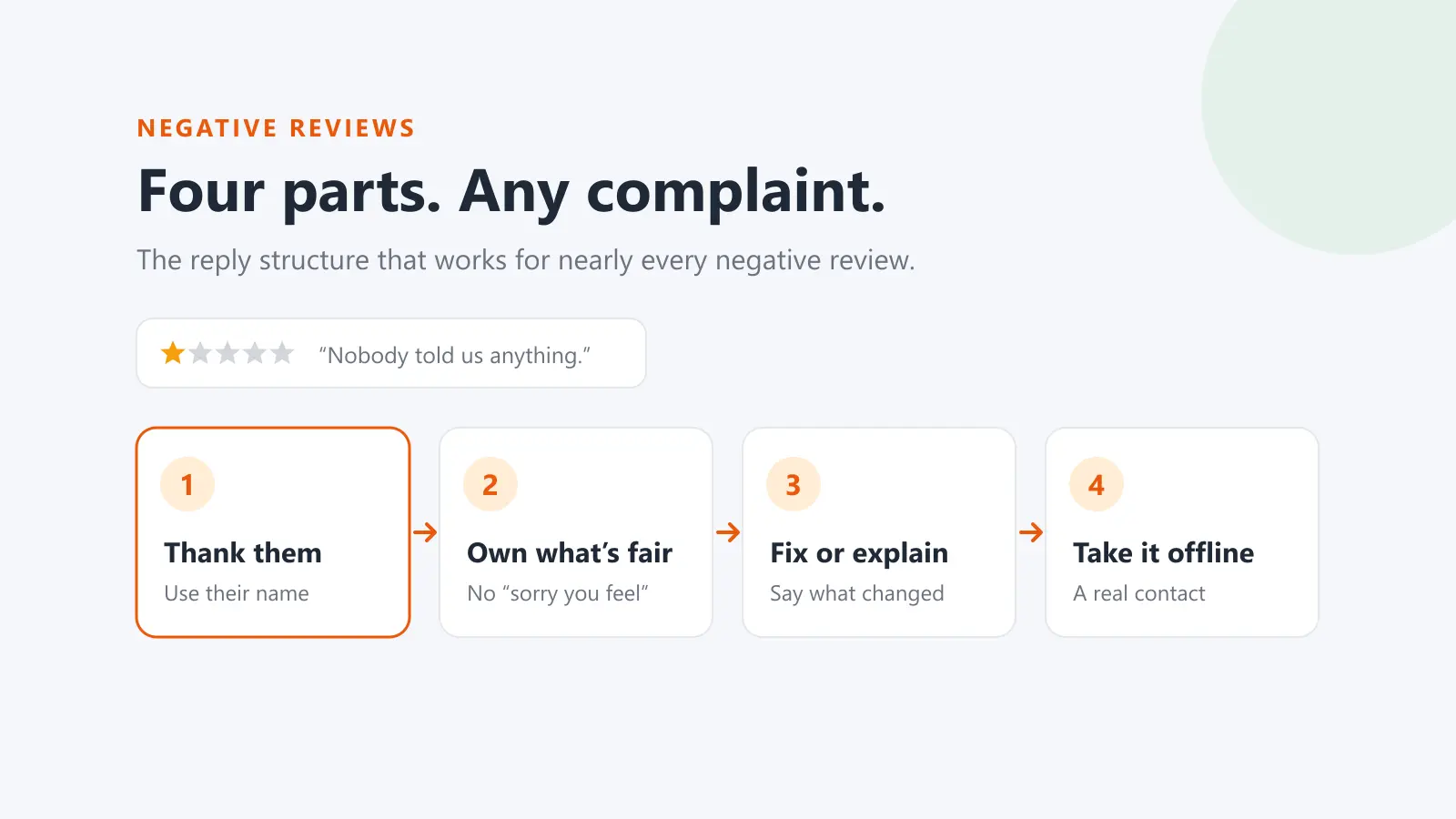
Negative reviews. Use the same four parts every time: acknowledge them, own what's fair, fix it or explain it, and give a direct way to continue the conversation privately. Google's advice is to acknowledge mistakes without taking responsibility for things outside your control. See how to respond to negative reviews for worked examples, from slow service to reviews from people who were never customers.
Star-only reviews. One or two sentences. There's nothing to address, so the reply mostly shows other readers that every review gets noticed.
Templates as starting points, not scripts
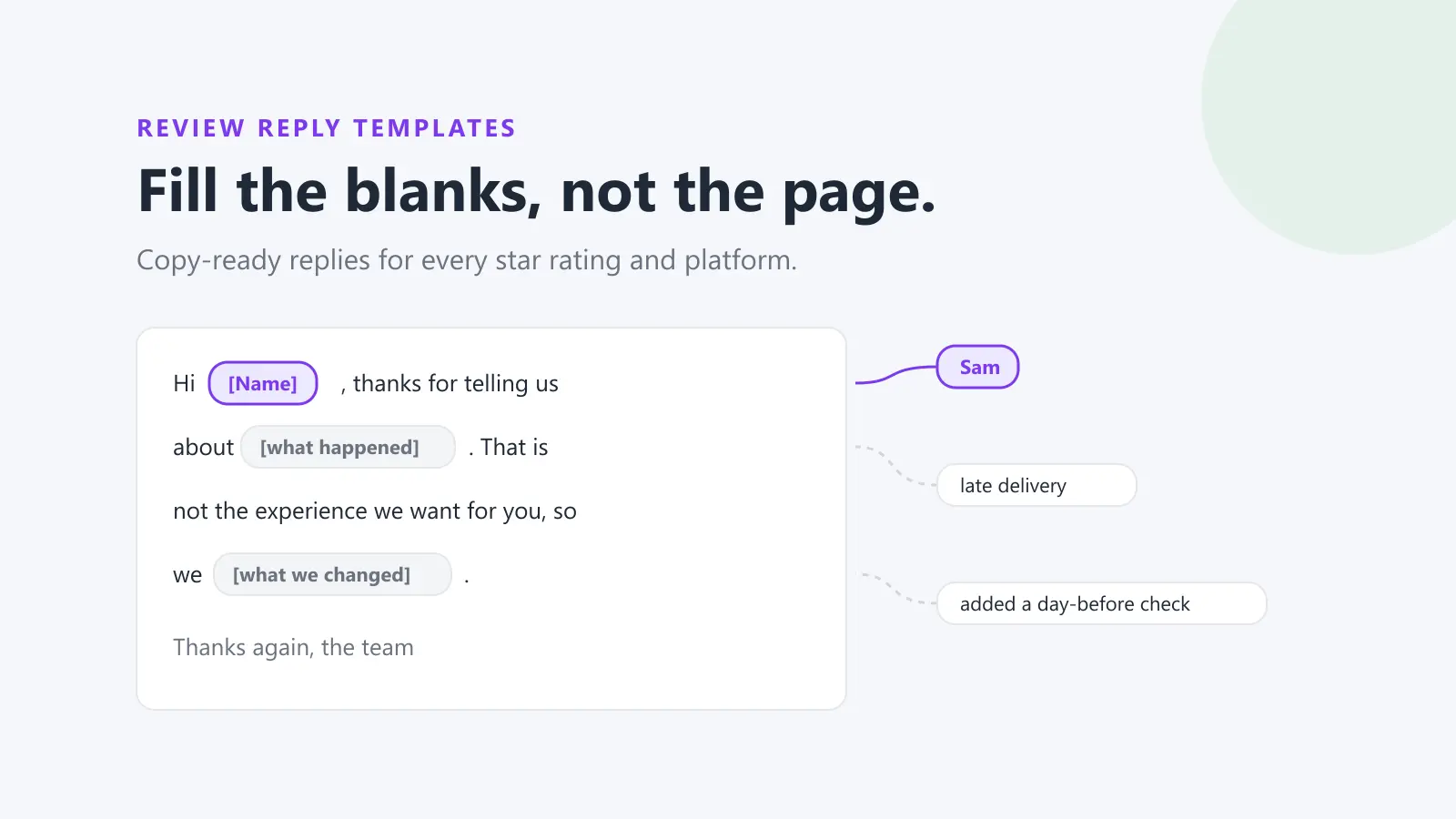
A small library of review response templates helps new staff get the structure right. The risk is the same reply pasted under every review, which tells readers nobody is reading. Google's tips make the same point: instead of sending everyone the same thank-you, focus on reviews where you can share a helpful update or answer a question. Make it a rule that every reply mentions something specific from the review.
5. Agree the escalation rules
Escalation rules exist for the reviews where a quick, well-meant reply can cause real damage. Write down the triggers and what happens next.
Triggers:
- Injury, illness, food safety or allergies
- Threats of legal action, or mentions of a lawyer, regulator or the media
- Allegations of discrimination, harassment or unsafe behaviour by staff
- Anything that would require confirming someone is a patient or client, in health, legal or financial services
- A sudden run of similar reviews, which may be a genuine problem or a coordinated attack
What happens: the owner doesn't reply. They pass the review to the named senior person, who checks the facts, decides whether advice is needed, and approves a short, factual public reply that moves the conversation offline. Health practitioners have extra limits on what they can say, and Ahpra's guidance on testimonials is worth reading before you set your rules.
Rules that apply to every reply
- Never share private information. Google's tips say never share a reviewer's private information or engage in personal attacks, and its content policy prohibits posting personal information.
- Never offer anything for a changed or removed review. Google's policy treats incentives for posting, changing or removing a review as fake engagement. The ACCC's guidance for businesses also warns that suppressing genuine negative reviews can mislead consumers. Fix the problem, then let the customer decide whether to update their review.
- Don't argue in public. State the facts once, calmly, and offer to talk directly.
- Ask every customer for reviews, not just happy ones. Selectively asking for positive reviews breaches Google's policy. See how to ask for Google reviews without breaking the rules.
6. Check it's working, every month
A strategy that never gets reviewed drifts back to whoever has time. Put 30 minutes in the diary each month and look at a handful of numbers:
- Response rate: the share of reviews that got a reply, per location and platform.
- Typical response time: the median time to a first reply, and how often you met your target. The median tells you more than your fastest reply does.
- What's still waiting: unanswered reviews by age. Anything negative that has waited more than a week is the first thing to fix.
- Recurring topics: wait times, price, cleanliness, a particular staff interaction. A complaint that keeps coming up is an operations problem, and the reply is only half the answer.
- Replies that went badly: pick two or three replies and ask whether they followed the voice guide. Update the templates and the never-say list from what you find.
Then send the recurring topics to whoever can fix them. A review response strategy that only produces replies, and never changes anything in the business, is missing the most useful part.
Where the replies get posted
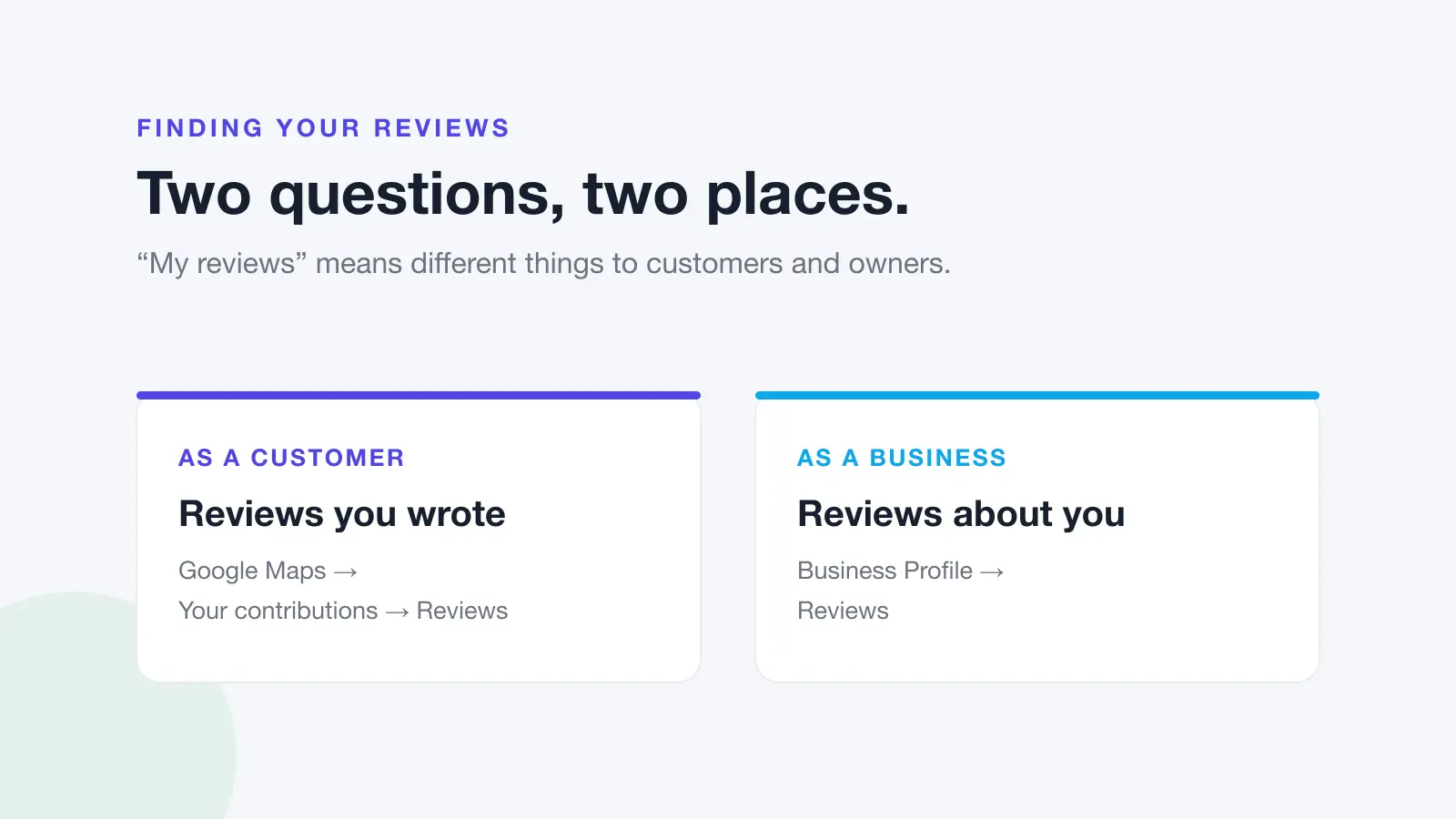
Your team also needs to know the mechanics of each platform. On Google, you have to verify your Business Profile before you can reply, and you can edit or delete a reply later, which is worth doing if a customer updates their review after you've fixed the problem. For the step-by-step on Google, see how to reply to Google reviews.
Platforms also differ in what a third-party tool can do for you. ProductReview and Trustpilot replies, for example, have to be posted on the platform itself, so the policy should say who has the login and who posts them.
A one-page review response policy
Here's the whole strategy on one page, filled in for a fictional two-site café, Coastal Brew. Copy the left column, write your own answers in the right, and give it to everyone who replies.
| Policy item | Example (Coastal Brew) |
|---|---|
| Platforms we reply on | Google and Facebook, both sites |
| Owner per location | Burleigh: Sam (manager). Palm Beach: Lena (manager) |
| Backup | The other site's manager. Weekends: whoever opens on Saturday checks once by 11am |
| Routine reviews | Any barista who has done the reply training, within two business days |
| Needs care | Site manager, by the end of the next business day |
| Escalate to | Jo (owner), who decides within one business day |
| Escalation triggers | Illness, allergies, injury, legal threats, staff named, a run of similar reviews |
| Tone | Warm, direct, never salesy. Australian spelling |
| Sign-off | First name and role, such as "Sam, Manager" |
| Never say | "Free coffee", "refund" in public, staff surnames, "our fault" on anything still being checked |
| Offline contact | hello@example.com.au, or ask for the manager on shift |
| Monthly check | First Monday of the month: response rate, the waiting list, top three topics |
Rolling it out
- Train with real reviews. Give each new person five past reviews from your own business, covering every tier, and have them draft replies. Compare their drafts with the voice guide together. It's faster than any slide deck.
- Buddy-check the first few weeks. New staff get a second read on anything below four stars until their replies are consistently on-voice.
- Revisit the policy every quarter, or when you open a location, add a platform or change who manages a site.
Running the strategy in Dinopix Reviews
A written strategy works with nothing more than a spreadsheet and a calendar reminder. Software helps once you have several locations, platforms or people. In Dinopix Reviews:
- Every review lands in one feed. Reviews and comments from Google, Facebook, Instagram, Trustpilot, ProductReview and Judge.me appear on one page, and an Unreplied filter shows what's waiting.
- Ownership is visible. You can assign a review to a teammate, which puts it in their My Work list, and add a manager as a watcher without handing the review over.
- Your voice guide becomes settings. Brand voice settings hold your tone, spelling, brand context and a never-say list. AI suggested replies use them, and a draft containing a never-say phrase is thrown away instead of being shown to you.
- Approval can be built in. Auto-reply can draft a reply and email it to you to approve, with a separate choice for each star rating, so nothing is posted for those ratings until a person presses the button. Our guide to AI review responses covers drafting at volume with a person approving each reply.
- The monthly numbers are already there. Analytics shows response rate, typical response time, what's waiting by age and the topics customers mention, and a Team card tracks each person against your response target.
Replies publish straight to Google and Judge.me reviews and to Facebook and Instagram comments. Replies to Facebook recommendations are made on Facebook itself. For ProductReview and Trustpilot, you save the reply in Dinopix, copy it, and post it on the platform.
Frequently Asked Questions
Should we respond to every review?
Aim to, but prioritise. Answer negative and detailed reviews first, then the rest. Google's tips suggest making replies count rather than sending the same thank-you to everyone, so a short, specific reply to a five-star review is better than a pasted one. Reviews that clearly break platform rules should be reported, whether or not you also reply.
How quickly does Google say you should reply to reviews?
Google doesn't give a number of hours. Its advice is to respond in a timely manner, because a prompt response shows you value customers' feedback. Set your own target for each type of review, such as the next business day for complaints, and track how often you meet it.
Who should reply to reviews in a multi-location business?
Usually the manager of each location, because they know what happened and can fix it, with a named backup and a senior person for escalations. Head office sets the voice guide and the triage rules, and checks the numbers monthly.
Should replies be approved before they're posted?
Not all of them. Requiring approval for every five-star thank-you slows everything down. Require it for the escalation tier, and for new staff on anything below four stars until they're confident. Write the rule down so nobody has to guess.
Is it worth replying to old reviews?
Yes, once new reviews are under control. Start with older negative reviews, especially ones that raise a concern other customers might share, then older reviews with a question in them. A late reply that's specific and sets the record straight is still useful to the people reading it now.
How do we know if our review response strategy is working?
Track response rate, median response time against your target, and how many reviews are waiting by age. Then check whether the topics customers complain about are shrinking. If replies go out on time but the same complaint keeps coming up, the replying is working and the underlying problem still needs fixing.
Start with your next reply
Got a review waiting? Paste it into the free review reply generator for a specific first draft you can edit before posting. If your team replies across several locations or platforms, Dinopix Reviews puts every review in one place, with assignment, approval and response-time tracking built in.
Sources
- Google Business Profile Help, Manage customer reviews
- Google Business Profile Help, Tips to get more reviews (includes "Tips to write better review replies")
- Google Business Profile Help, Report inappropriate reviews on your Business Profile
- Google Maps User Contributed Content Policy, Prohibited and restricted content
- ACCC, Online reviews for product and services (business guidance)
- Ahpra, Testimonials: understand the requirements
- Dinopix, Australian Google Reviews Index, October 2026
Google review reply templates
20 replies you can copy and edit, from a 5-star thank-you to a fair answer to a 1-star complaint. Free, by email.
We'll email the templates from support@dinopix.com.au, then about one email a month with new review guides and Dinopix product news. Unsubscribe in one click from any email. Privacy policy