Social Media Moderation Policy for Businesses (Free Template)

Write a social media moderation policy your team can follow: what to allow, hide, delete and escalate, response times, plus a free template.
Most businesses moderate comments the same way: whoever happens to be holding the phone decides. One staff member hides anything critical, another replies to trolls at 11pm, and a third leaves a scam link up for a weekend because they weren't sure it was their job. None of them is wrong, exactly. They just don't have anything to go on.
A social media moderation policy fixes that. It's a short document that says what your business allows in its comments, what gets hidden or deleted, who deals with it, and how fast. This guide explains what to put in one, then gives you a free template you can copy, fill in and share with your team today.
What a social media moderation policy is
A moderation policy has two parts, and it helps to keep them separate:
- Public community guidelines. A short, friendly statement your followers can see, usually pinned, linked from your bio or placed in your Page's About section. It tells people what kind of comments you welcome and what you'll remove.
- An internal moderation playbook. The working rules for your team: who moderates which accounts, what to do with each type of comment, response-time targets, when to escalate and to whom, and how to keep a record.
The public part sets expectations. The internal part makes sure five different people make the same call on the same comment.
Google review reply templates
20 replies you can copy and edit, from a 5-star thank-you to a fair answer to a 1-star complaint. Free, by email.
We'll email the templates from support@dinopix.com.au, then about one email a month with new review guides and Dinopix product news. Unsubscribe in one click from any email. Privacy policy
Why a written policy matters
Consistency. Without written rules, moderation depends on mood and on who's rostered on. Followers notice when one angry comment is answered politely and a similar one disappears. A policy means the same comment gets the same treatment, whoever sees it first.
Protection for your staff. Moderating abuse is unpleasant work, and junior staff often don't feel they have permission to remove something nasty, or feel they'll be blamed if they get it wrong. A policy gives them that permission in writing, and it tells them when to stop and hand a comment up the chain.
Something to point to. When someone asks why their comment was hidden, "it broke our community guidelines, which are pinned to our profile" is a much better answer than "the person on shift didn't like it". Published rules make your decisions easier to defend.
Legal exposure. In Australia, the High Court decided in Fairfax Media Publications v Voller (2021) that media companies running public Facebook pages were publishers of comments that third parties left on their posts. The case was about defamation and news outlets, not small businesses, and defamation law has changed in some states since. But the basic lesson is worth taking seriously: you can be responsible for what other people write on your pages, so someone should be watching them. If a comment could be defamatory, take advice from a lawyer rather than relying on any template, including this one.
What to allow, hide, delete and escalate
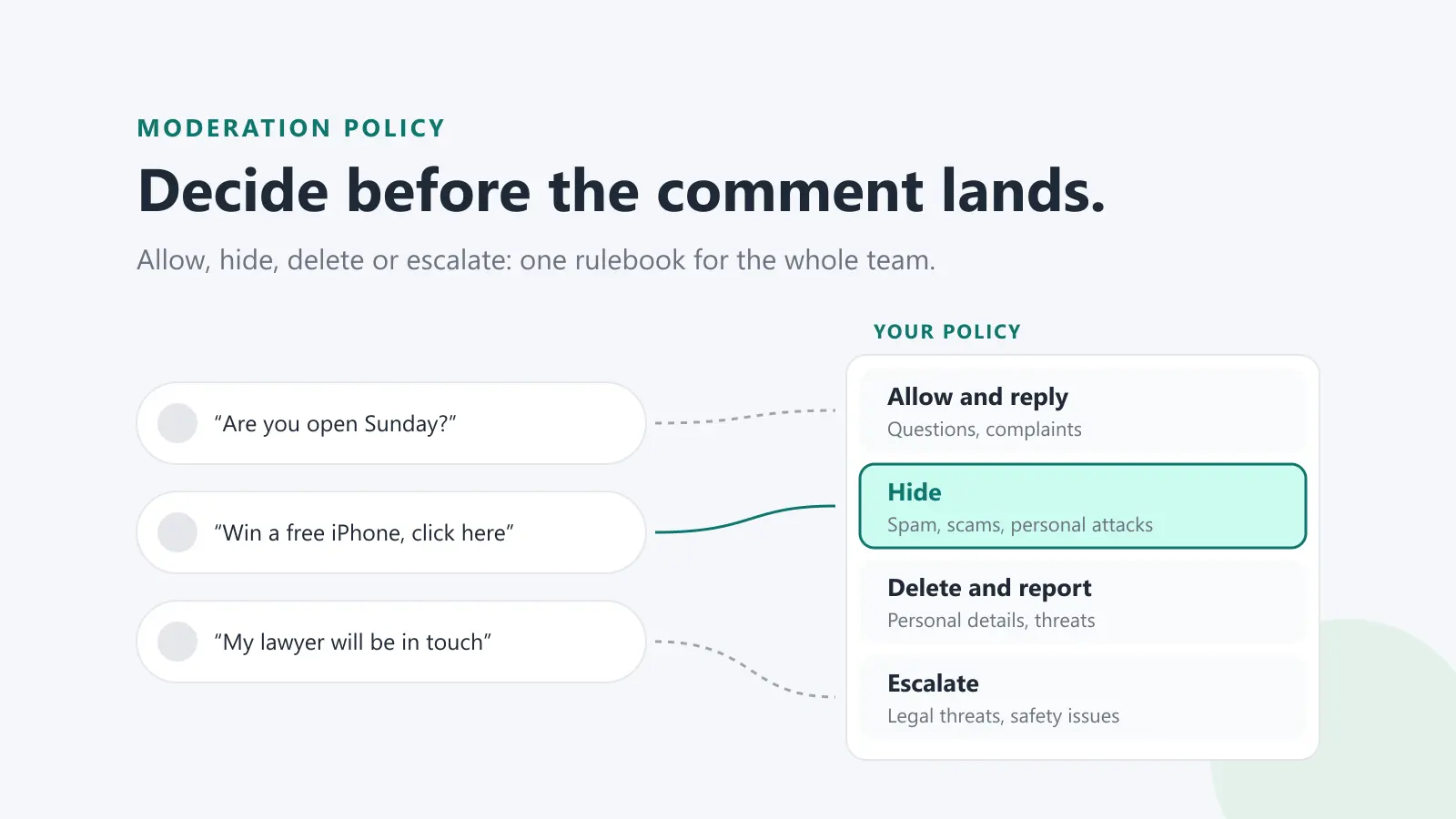
The heart of the policy is a simple decision for every comment. Most businesses need four buckets.
Allow (and usually reply)
Leave these up, even when they're uncomfortable:
- Genuine complaints and negative feedback, including blunt ones
- Questions about your products, prices, opening hours or service
- Disagreement with your opinion or your post
- Comparisons with competitors, as long as they aren't abusive
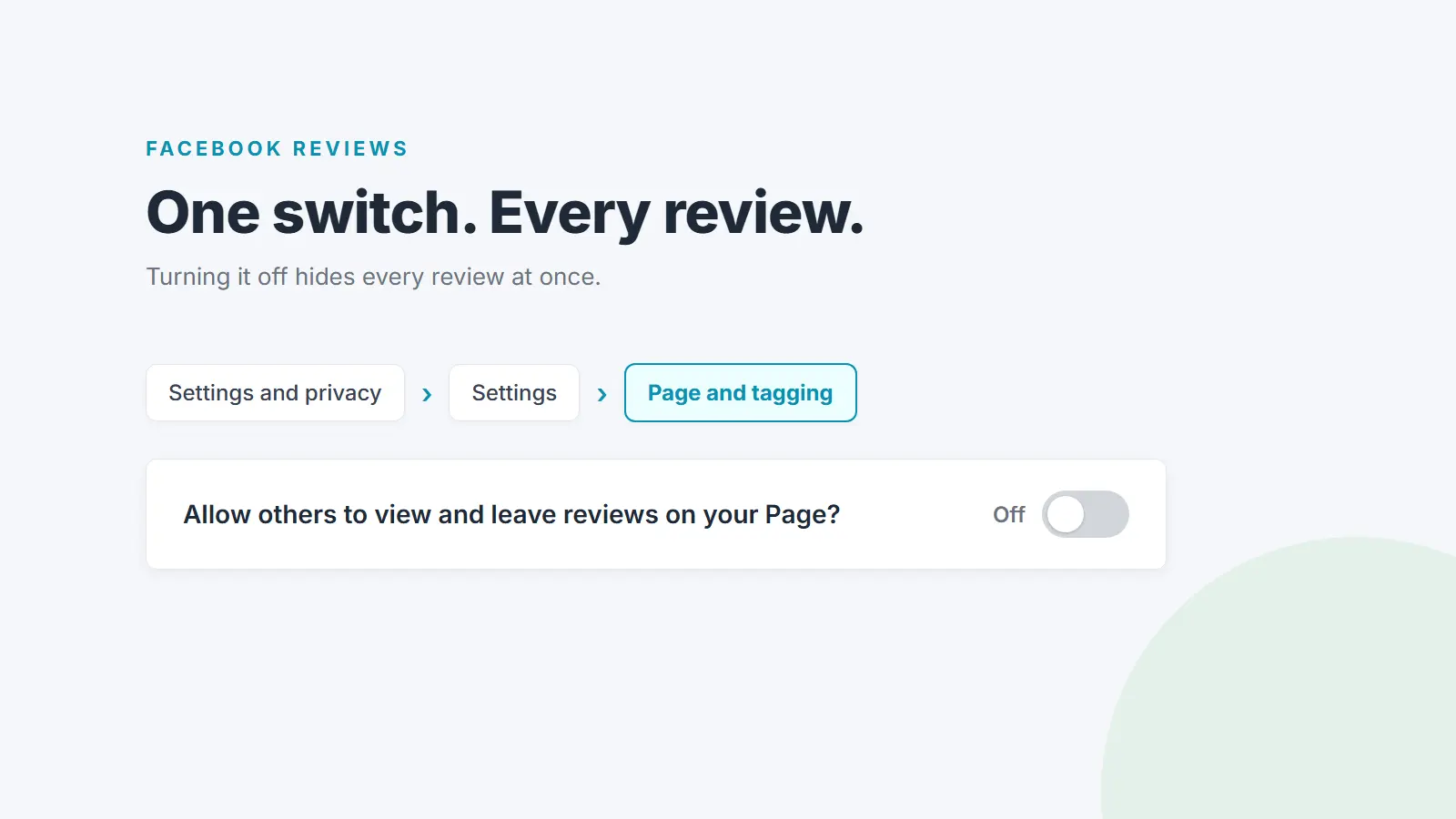
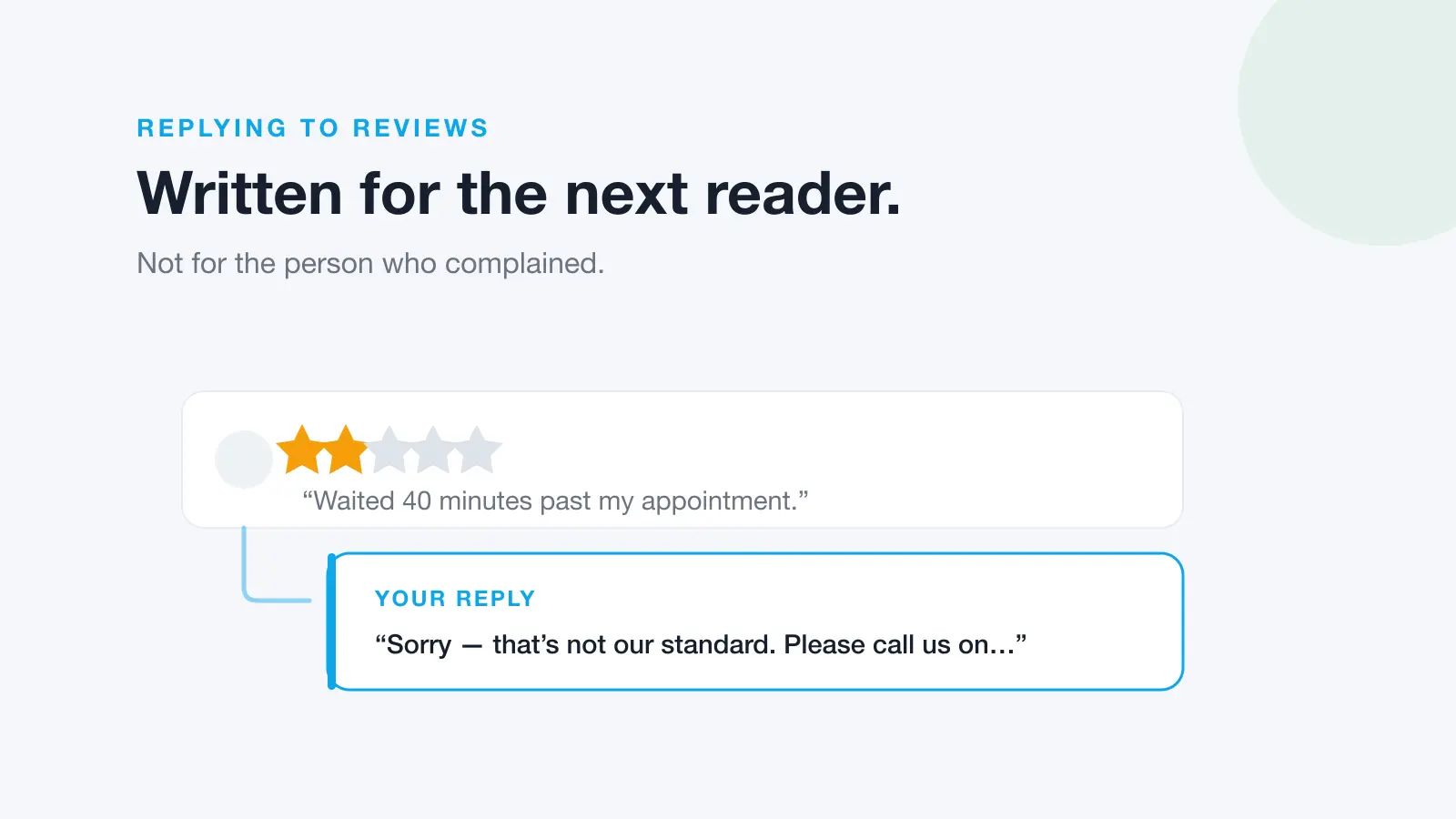
The most important rule in any business moderation policy is that criticism is not a reason to hide a comment. Hiding genuine complaints while praise stays up makes your page look curated, and on Facebook the author and their friends can still see a hidden comment, so the customer usually knows they've been brushed off. Reply in public instead, acknowledge the problem and invite them to message you with the details. Our guide on how to respond to negative reviews covers the wording, and most of it works for comments too.
Hide
Hiding is the right tool for comments that shouldn't sit in front of your audience but don't need to vanish completely:
- Spam, scam links and "DM me to earn $500 a day" posts
- Personal attacks on staff or other commenters
- Swearing and slurs (your profanity filter will catch some of this automatically)
- Off-topic arguments between commenters that are derailing a post
- Repeated copy-paste comments from the same person
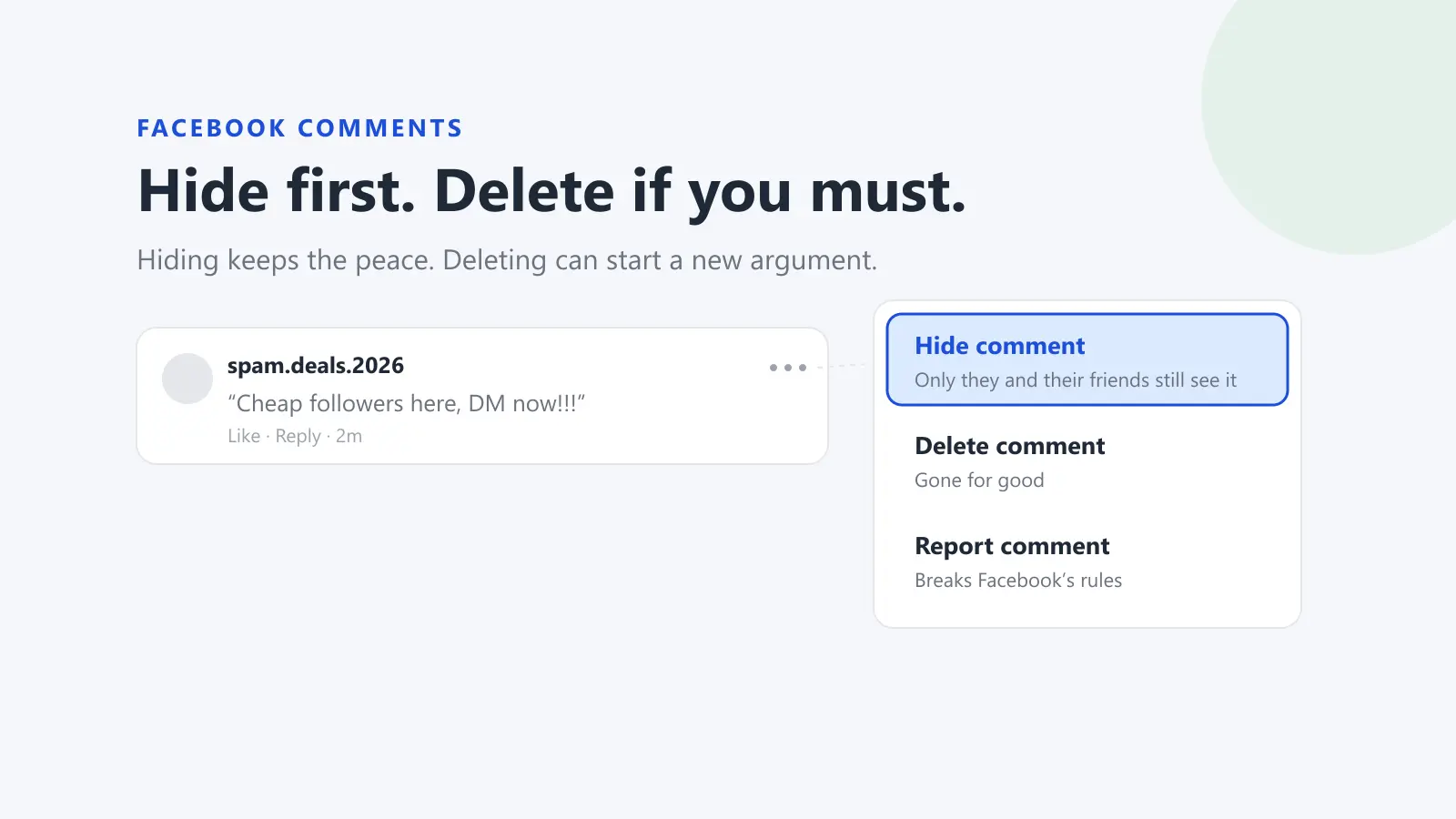
On a Facebook Page, a hidden comment stays visible to the person who wrote it and their friends, and its replies are hidden as well, according to Facebook's Help Centre. Because it's reversible, hiding is the safer default when you're not sure. Our step-by-step guide on how to delete or hide comments on your Facebook business Page covers the exact steps, and the Instagram version covers hiding, restricting and turning comments off there.
Delete (and report)
Delete when a comment should not exist anywhere:
- Someone's personal information, such as a phone number, home address or customer details
- Threats of violence
- Hate speech and content that breaks Meta's Community Standards
- Content that is clearly illegal
If it breaks the platform's rules, report it as well as removing it. Meta's Community Standards apply across Facebook, Instagram, Messenger and Threads, and cover areas including bullying and harassment, hateful conduct, privacy violations, violence and incitement, and spam. If you might need the comment later (for a police report or legal advice), take a screenshot that shows the name, date and text before you delete it.
Escalate
Some comments shouldn't be handled by whoever is on shift. Hand these to a named person straight away:
- Anything that could be defamatory or that names a staff member in a serious allegation
- Threats of self-harm, or anything that suggests someone is in danger
- Safety complaints, such as food poisoning, injuries or product faults
- Comments from journalists, or posts that are getting unusual attention
- Legal threats or mentions of the regulator
- Anything the moderator isn't sure about
Escalating doesn't mean leaving the comment untouched. The moderator can hide an abusive comment straight away and still pass it up for a decision on deleting, reporting or replying.
When to block or ban
Blocking is for repeat offenders, not one-off grumpy customers. On Facebook, a profile blocked from your Page can no longer see what you post there, tag your Page, start a conversation with it or find it in search, and is removed as a follower, according to Facebook's Help Centre. Write down how many strikes someone gets in your policy (for example, two hidden comments for abuse within a month) so that blocking is a rule, not a reaction.
Public guidelines vs internal rules
Keep the public guidelines short and plain. Followers won't read a page of policy, and listing every rule invites people to argue about the edges. Five or six bullet points is enough: what you welcome, what you remove, and that you may block people who keep breaking the rules.
The internal playbook can be as detailed as your team needs. It should name real people, real accounts and real phone numbers. Never publish it.
One thing to avoid in both: promising what you can't deliver. If you say "we reply to every comment within an hour", someone will check at 2am on a Sunday.
Response times and weekend cover
A moderation policy needs response-time targets, or "we'll get to it" quietly becomes Monday. Set targets you can actually meet with the people you have. A common shape is:
- Spam, abuse and personal information: hidden or deleted as soon as it's seen, and checked at least a few times a day, including weekends
- Questions and complaints: a public reply within one business day
- Escalations: the escalation contact told within an hour of being found, with a decision the same day
Weekends are where most policies break. Decide now who checks comments on Saturday and Sunday, how often, and on which accounts. Even two short checks a day stops a scam link sitting under your post for 48 hours. Turn on your platform's automatic tools as a safety net: Facebook Pages have a keyword filter and a profanity filter that hide matching comments automatically, and Instagram has its own comment filters (see the Instagram guide).
If you run several pages or locations, the hard part is noticing new comments at all. Comments land under posts from weeks ago, on accounts nobody has opened since last week. Decide whether one person checks everything or each location checks its own, and write that down too.
Free social media moderation policy template
Copy both parts below into a document, replace everything in square brackets, and delete anything that doesn't apply to your business. Share part 1 publicly and keep part 2 internal.
Part 1: Public community guidelines
[Business name] community guidelines
We love hearing from you, including when something hasn't gone right. To keep our pages useful and welcoming for everyone, please:
- Be respectful to other people, including our staff.
- Keep comments relevant to the post.
- Don't share anyone's personal information, including your own.
- Don't post spam, scams, advertising or links to unrelated sites.
- Don't post hateful, threatening, abusive or obscene content.
We may hide or remove comments that break these guidelines, and we may block people who break them repeatedly. We never remove comments just because they're critical of us.
If you have a complaint about an order or booking, please message us or email [contact email] so we can look into it properly. We aim to respond within [one business day].
These guidelines apply to our [Facebook, Instagram and other accounts], alongside each platform's own rules.
Last updated: [date]
Part 2: Internal moderation playbook
[Business name] social media moderation playbook
1. Accounts covered
- [Facebook Page name and URL]
- [Instagram account handle]
- [Other accounts]
2. Who moderates
- Weekdays: [name or role], checking at [times]
- Weekends and public holidays: [name or role], checking at least [twice] a day at [times]
- Backup if the moderator is away: [name or role]
3. Response-time targets
- Spam, abuse, threats or personal information: hide or delete as soon as seen
- Questions and complaints: public reply within [one business day]
- Escalations: tell the escalation contact within [one hour]
4. What to do with each comment
- Allow and reply: genuine complaints, questions, disagreement, negative feedback. Never hide a comment just because it's critical.
- Hide: spam, scam links, personal attacks, swearing, off-topic arguments, repeated copy-paste comments.
- Delete and report: personal information, threats, hate speech, clearly illegal content. Screenshot first if it may be needed later.
- Escalate: possible defamation, serious allegations against staff, safety complaints, anyone who may be in danger, journalists, legal threats, anything you're unsure about.
5. Escalation contacts
- Day to day: [name, role, phone]
- Serious or legal issues: [name, role, phone]
- If someone may be in danger: call [000 or your local emergency number] first, then tell [name]
6. Replying to complaints
- Reply in public, thank them, acknowledge the problem and don't argue.
- Invite them to message us or email [contact email] with their details.
- Never share order details, health information or other personal information in a public reply.
- Sign off with [first name or team name].
7. Blocking
- Block a person after [two] hidden comments for abuse or spam within [30 days], or straight away for threats or hate speech.
- Record who was blocked, when and why.
8. Record-keeping
- Log every deleted comment, every escalation and every block in [shared document or tool], with the date, account, a screenshot and the reason.
- Keep records for [12 months].
9. Review
- [Name or role] reviews this playbook and the public guidelines every six months, and after any serious incident.
- Next review: [date]
Reviewing your policy every six months
Platforms change their tools and settings often, and your business changes too: new locations, new staff, new accounts. Put a review date in the policy and keep it. When you review, check:
- Are the named people and phone numbers still right?
- Did any comment in the last six months fall outside the four buckets? Add a rule for it.
- Is the keyword filter hiding genuine complaints? Check your hidden comments for false positives.
- Did you meet your response-time targets, especially on weekends?
- Have the platforms added or removed moderation tools since the last review?
Review it after any serious incident as well, such as a post that drew a pile-on or a complaint that went public.
Frequently Asked Questions
What is social media moderation?
Social media moderation is the work of reviewing the comments, replies and messages on your business's social accounts and deciding what to do with each one: leave it, reply, hide it, delete it, report it or escalate it. For most businesses it's a mix of automatic filters set up in each platform and a person checking new comments every day.
Do small businesses need a social media policy?
If more than one person posts or replies on your accounts, yes. Even a one-page policy stops people making different calls on the same comment, gives staff permission to deal with abuse, and gives you something to point to when someone asks why their comment was removed.
Should you delete negative comments on social media?
No. Genuine negative comments should stay up and get a public reply. Hiding or deleting criticism tends to make an upset customer angrier and makes your page look curated to everyone else. Save hiding for spam, abuse and off-topic arguments, and deleting for personal information, threats and content that breaks the platform's rules.
What's the difference between community guidelines and a moderation policy?
Community guidelines are the public rules your followers see: what you welcome and what you remove. A moderation policy, or playbook, is the internal document your team uses: who moderates, how fast, what to do with each type of comment and who to call when something serious happens.
Can a business be responsible for comments on its Facebook page?
In Australia, the High Court's 2021 decision in Fairfax Media Publications v Voller found that media companies were publishers of third-party comments on their public Facebook pages. Whether and how that applies to your business depends on the facts and on current defamation law where you are, so get legal advice if a comment could be defamatory.
Put your policy into practice
A policy only works if someone sees the comments in time. If your team manages several Facebook Pages and Instagram accounts, Dinopix brings their comments into one inbox with the unreplied ones first, so the person on shift can reply, or hide and unhide spam and abuse, without logging in to each account. Dinopix doesn't delete customers' comments: deleting is still done in Facebook or Instagram, following your policy. See how it works for Instagram comment moderation too.
Sources
- High Court of Australia, Fairfax Media Publications Pty Ltd v Voller; Nationwide News Pty Limited v Voller; Australian News Channel Pty Ltd v Voller [2021] HCA 27 (8 September 2021)
- Meta Transparency Center, Community Standards
- Meta Transparency Center, Spam
- Facebook Help Centre, Hide a comment from a post on your Facebook Page
- Facebook Help Centre, Block or unblock profiles from your Facebook Page
- Facebook Help Centre, Block certain words from appearing in comments on your Facebook Page
- Facebook Help Centre, Turn the profanity filter on and off for your Facebook Page
Google review reply templates
20 replies you can copy and edit, from a 5-star thank-you to a fair answer to a 1-star complaint. Free, by email.
We'll email the templates from support@dinopix.com.au, then about one email a month with new review guides and Dinopix product news. Unsubscribe in one click from any email. Privacy policy