How to Report a Fake Google Review (And What Happens Next)

Reporting a fake Google review only works if it breaches a policy. Here's exactly how to report one, what qualifies, how to appeal, and what to do if it stays.
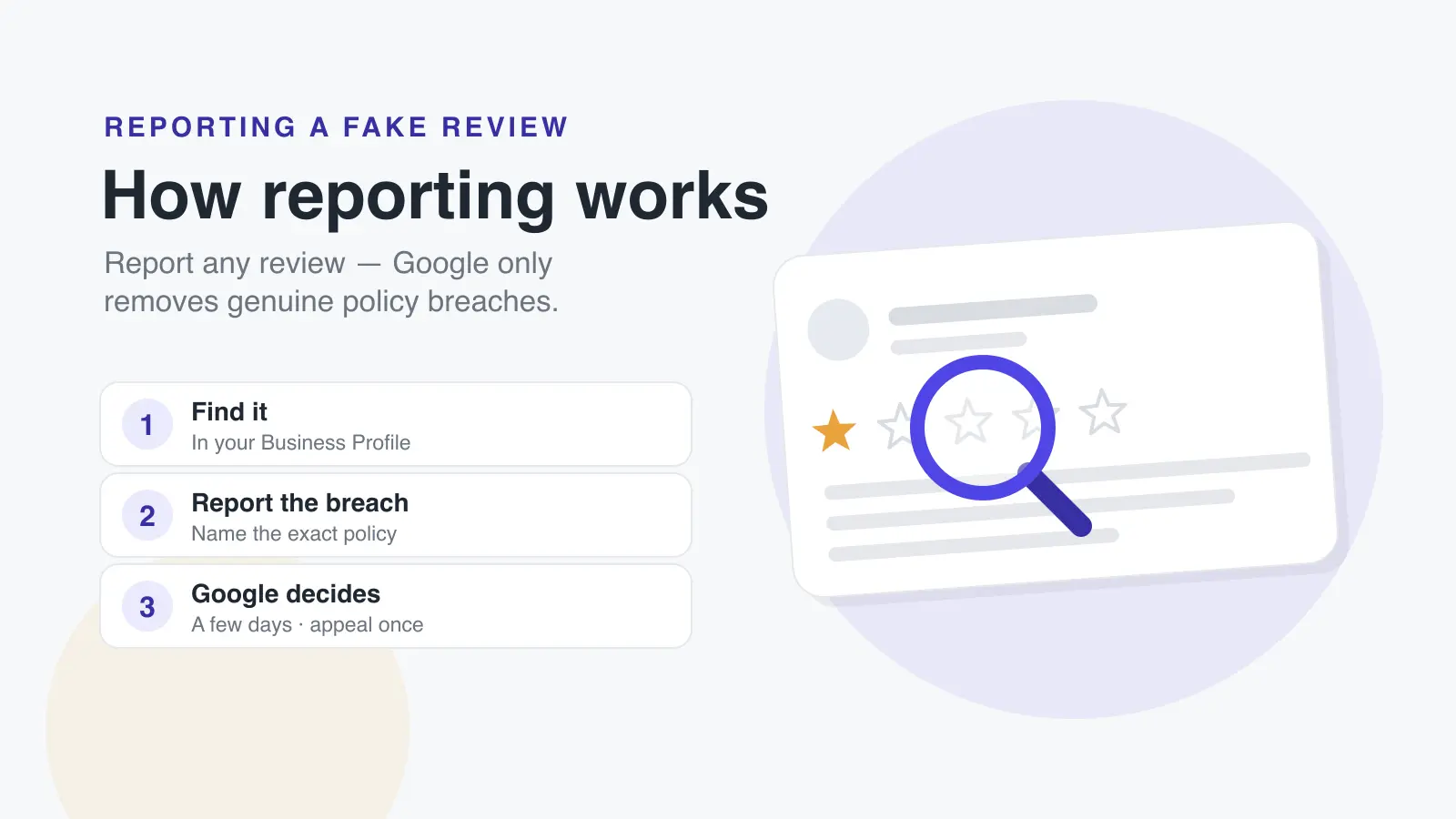
To report a fake Google review, open your Business Profile, find the review, and select Report, or use Google's dedicated Reviews Management Tool, which also lets you track the outcome and appeal once if the review is kept. Google evaluates reported reviews against its content policies, typically within a few days, and removes only those that actually breach a policy. A review being false or unfair is not, by itself, enough; you need to identify the specific policy it violates.
That last point is where most reports fail. Business owners flag reviews they know are fake and are baffled when Google leaves them up. The problem is almost never that Google didn't listen. It's that the report didn't map the review to a policy Google enforces. This guide shows you how to report a fake review so it actually stands a chance of being removed.
What counts as a "fake" review to Google
To you, a fake review is one from someone who was never a customer, or one invented to damage you. Google agrees, but it files those under specific policy names, and you'll get further using its language than yours. The categories that cover fake reviews are:
| Policy | What it covers |
|---|---|
| Fake engagement | Content not based on a genuine experience, reviews from non-customers, competitors, or accounts posting on someone's behalf to manipulate a rating. |
| Off-topic | Reviews about a different business, a different location, or something unrelated to an actual experience there. |
| Impersonation | An account pretending to be a person or organisation it isn't. |
| Misrepresentation | Content driven by an undisclosed conflict of interest, which is where many competitor reviews land. |
Notice what's absent: "the review is a lie." Google has no way to verify who is telling the truth about a private interaction, so it doesn't try. It removes reviews it can identify as structurally illegitimate, wrong location, non-customer, conflict of interest, not ones it judges to be dishonest.
How to report a fake review, step by step
There are two routes. Use the first for a one-off; use the second when you have several to report or want to track what happens.
Method 1: Report from your Business Profile
- Go to your Business Profile and select Read reviews.
- Find the fake review and select Report next to it.
- Choose the reason that matches the policy it breaches, for a non-customer or competitor, that's usually spam or fake content.
- Select Send report.
Method 2: The Reviews Management Tool
Google runs a dedicated tool for reporting reviews and, crucially, seeing what happened to them, something the standard profile view doesn't show.
- Open the Reviews Management Tool and confirm the email that manages the profile.
- Select your business, then Report a new review for removal.
- Select Report next to the review, choose the violation reason, and submit.
Checking the status and appealing
The Reviews Management Tool shows where each report stands:
- Decision pending, flagged, not yet evaluated.
- No violation found, evaluated, and Google found no policy breach.
- Escalated. Your appeal has been escalated, and you'll get an email with the final decision.
If a review comes back as no violation found and you genuinely believe Google is wrong, you can submit one appeal per review using Appeal eligible reviews in the tool. That's the end of the road inside Google's system, one report, one appeal. If it survives, the review is staying, and further effort is better spent elsewhere.
When a review is defamatory, not just fake
Google's content policies don't cover defamation, so reporting a genuinely defamatory review as a policy breach usually fails. Google provides a separate legal removal request process for content that is unlawful in your jurisdiction. Defamation law varies significantly between countries and states, and the bar is high. An unflattering opinion is not defamation. This is a point to take legal advice rather than act alone, and it's slower and narrower than most business owners hope.
What to do while the report is pending, and if it fails
Reporting can take days, and it often ends in no violation found. Don't let the review sit unanswered in the meantime.
Reply, calmly and for the next reader. Even on a review you're convinced is fake, a measured public reply. @@CAP@@"we have no record of your visit and would like to understand what happened; please contact us directly". Reads far better to prospects than silence or an argument. It signals you take feedback seriously without accusing anyone.
Then reduce how much any single review matters. A fake 1-star review lands hard when you have twelve reviews and barely registers when you have a hundred and twenty. Consistently asking real customers for reviews is the most durable defence against fake ones, it dilutes them and it makes a suspicious cluster of negatives stand out to Google's own systems. Tools like Dinopix Reviews handle exactly this: monitoring new reviews as they land, drafting replies, and automatically requesting reviews from real customers so your genuine feedback always outweighs the fake.
Frequently Asked Questions
How long does Google take to remove a reported review?
Google states that evaluation typically takes several days. Reports submitted through the Reviews Management Tool show as "decision pending" until assessed. Reporting the same review repeatedly does not speed it up and can be counterproductive.
Can I find out who left a fake Google review?
No. Google does not reveal reviewers' identities or contact details to businesses, and it won't confirm whether an account is a competitor. This is why reports need to rest on the review's content, wrong location, a service you don't offer, a non-experience, rather than on your belief about who's behind it.
What if Google won't remove an obviously fake review?
Submit your one appeal through the Reviews Management Tool, making the policy breach as concrete as possible. If that fails, the review stays. Focus on replying professionally and building genuine review volume so the fake one carries less weight. That's more effective than continuing to fight a report Google has already declined.
Should I report a review that's just negative but genuine?
No. Reporting real reviews as fake wastes your effort and, done at scale, can flag your profile for manipulation. A negative review from a real customer is not a policy breach, respond to it well instead. Reserve reporting for reviews that genuinely breach a policy.
Can I report a fake review left by a former employee?
Possibly. A review from a former employee who is not a customer can fall under fake engagement, and one with an undisclosed conflict of interest may fall under misrepresentation. Report on that policy basis. As always, you'll need the review's content to support it, Google won't act on your assertion alone about who wrote it.
Does reporting a review notify the person who wrote it?
No. Reporting a review is confidential; the reviewer is not told that you flagged it. If the review is removed, Google does not notify them of the specific reason either.
Sources
This guide draws on the primary sources below. Regulations change. Always check the current version.