The Complete Guide to Google Business Profile Reviews: Master Your Online Reputation

Discover everything you need to know about Google Business Profile reviews. Learn how to manage, respond, and leverage reviews to enhance your business's online presence.

In today's digital landscape, Google Business Profile reviews serve as the cornerstone of local business success. These powerful testimonials don't just influence customer decisions—they directly impact your search rankings, local visibility, and overall brand reputation. Whether you're managing a single location or multiple business sites, understanding how to leverage Google reviews can transform your online presence and drive significant business growth.
This comprehensive guide will walk you through everything you need to know about managing, optimizing, and growing your Google Business Profile reviews. From the fundamental mechanics to advanced reputation management strategies, we'll equip you with the tools and knowledge to build a thriving online reputation that converts browsers into buyers.
Understanding Google Business Profile Reviews
Google Business Profile reviews are customer-generated ratings and comments that appear on your business listing in Google Search and Google Maps. These reviews operate on a five-star rating system and include written feedback from customers who have interacted with your business.
The Anatomy of a Google Review
Each Google review consists of several key components:
- Star Rating: A numerical score from 1 to 5 stars
- Written Review: Optional text feedback from the customer
- Reviewer Information: The customer's name and profile picture
- Review Date: When the review was posted
- Business Response: Your reply to the customer's feedback
- Photos: Images uploaded by customers (when applicable)
Where Google Reviews Appear
Your Google Business Profile reviews display in multiple high-visibility locations:
- Google Search results when users search for your business
- Google Maps listings and search results
- Your Google Business Profile page
- Local pack results for relevant keyword searches
- Knowledge panels for branded searches
The Impact of Google Reviews on Your Business
Local Search Rankings
Google reviews significantly impact your local search rankings through several mechanisms. The search algorithm considers review quantity, quality, and recency as ranking factors. Businesses with higher review counts and better average ratings typically appear higher in local search results.
Research indicates that review velocity—the rate at which you receive new reviews—carries more weight than total review count. Fresh, recent reviews signal to Google that your business is active and currently serving customers, boosting your local SEO performance.
Customer Trust and Decision-Making
Reviews serve as social proof, with studies showing that 93% of consumers read online reviews before making purchasing decisions. A strong collection of positive Google reviews builds credibility and trust, directly influencing conversion rates and customer acquisition.
Click-Through Rates and Visibility
Businesses with higher star ratings and more reviews experience increased click-through rates from search results. The visual star rating display in search results acts as a quality signal, encouraging users to choose your business over competitors with fewer or lower-rated reviews.
Core Metrics for Google Business Profile Reviews
Total Review Count
While the ideal number varies by industry and location, businesses should aim for a steady accumulation of reviews over time. Generally, having 15-50+ reviews provides sufficient social proof, though competitive markets may require significantly more.
Average Star Rating
Maintain an average rating of 4.0 stars or higher for optimal performance. This threshold represents the sweet spot where customers perceive quality while maintaining authenticity—perfect 5.0 ratings can sometimes appear suspicious to potential customers.
Review Velocity and Recency
Consistent review acquisition demonstrates ongoing business activity. Aim for 2-5 new reviews per month for small businesses, with larger operations targeting proportionally higher numbers. Recent reviews (within the last 30-90 days) carry more algorithmic weight than older feedback.
Review Quality and Keyword Content
Detailed, keyword-rich reviews provide more value than brief, generic feedback. Reviews mentioning specific services, location details, or business attributes contribute to local SEO relevance and help customers understand your offerings.
How to Manage Google Business Profile Reviews
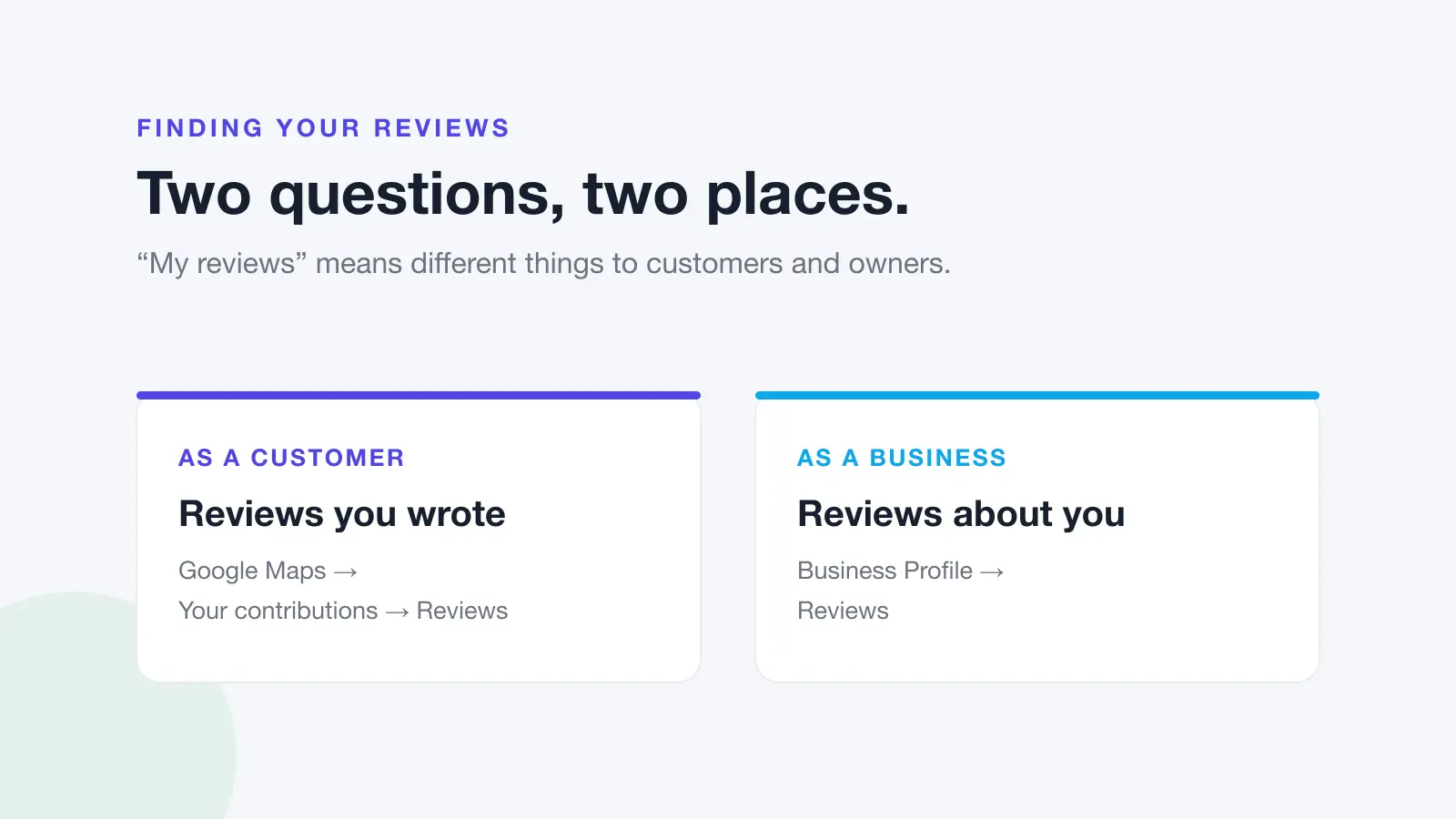
Accessing Your Reviews
You can manage your Google Business Profile reviews through multiple channels:
- Google Business Profile Manager: Navigate to Customers > Reviews for comprehensive management
- Google Search: Search for your business and click "Respond" on individual reviews
- Google Maps App: Access reviews through your business listing
Review Monitoring Best Practices
Establish a systematic approach to review monitoring:
- Check reviews daily or set up notification alerts
- Track review trends and patterns over time
- Monitor competitor review activity for market insights
- Document review response times and strategies
- Identify frequently mentioned topics for business improvement
Review Response Strategies
Responding to reviews demonstrates active engagement and professionalism. Follow these guidelines for effective review management:
- Respond to all reviews, both positive and negative
- Reply within 24-48 hours when possible
- Personalize responses using the customer's name
- Keep responses concise but meaningful
- Maintain a professional, grateful tone
Strategies to Get More Google Reviews
Claim and Optimize Your Profile
Ensure your Google Business Profile is fully claimed, verified, and optimized. Complete all profile sections, add high-quality photos, and maintain accurate business information. A well-optimized profile encourages review submission by building trust and professionalism.
Create Direct Review Links
Generate direct review links that take customers straight to your review submission page. These links eliminate friction in the review process and can be used across multiple touchpoints:
- Email signatures and follow-up communications
- Business cards and printed materials
- Website review buttons and popups
- Social media posts and campaigns
- QR codes for in-person interactions
Implement Strategic Review Requests
Timing and personalization are crucial for successful review requests:
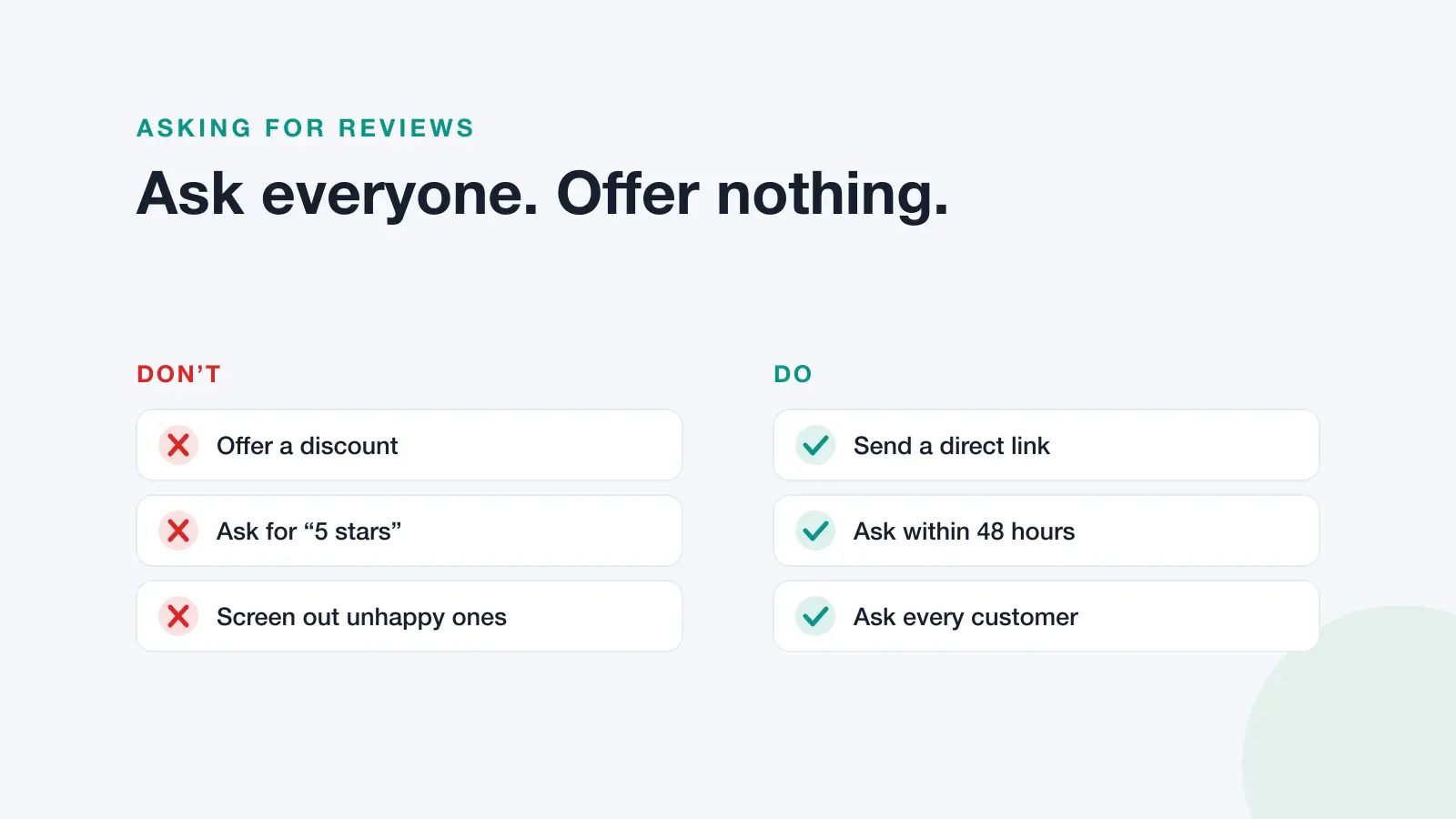
- Request reviews immediately after positive service experiences
- Send personalized follow-up emails to recent customers
- Train staff to verbally request reviews during peak satisfaction moments
- Use automated systems for post-purchase review invitations
- Offer incentives while following Google's guidelines
Leverage Multiple Touchpoints
Integrate review requests across your customer journey:
- Post-purchase email sequences
- Service completion follow-ups
- In-store signage and displays
- Receipt and invoice messaging
- Social media engagement opportunities
Handling Negative Google Reviews
Professional Response Framework
When addressing negative reviews, follow this structured approach:
- Acknowledge the Issue: Validate the customer's experience without admitting fault
- Apologize Sincerely: Express genuine regret for their negative experience
- Offer Offline Resolution: Invite them to discuss the matter privately
- Demonstrate Improvement: Mention steps taken to prevent similar issues
- Keep It Concise: Maintain brevity while covering key points
Sample Negative Review Response
"Hi [Customer Name], thank you for sharing your feedback. I sincerely apologize that your experience didn't meet our usual standards. We take all feedback seriously and would love the opportunity to make this right. Please contact me directly at [phone/email] so we can discuss this matter and find a resolution. We've implemented additional training to ensure this doesn't happen again. Thank you for giving us the chance to improve."
When to Flag Inappropriate Reviews
Google allows businesses to flag reviews that violate their policies:
- Spam or fake reviews
- Off-topic or irrelevant content
- Profanity or harassment
- Personal attacks or discriminatory language
- Reviews from competitors or former employees with conflicts of interest
Advanced Google Review Optimization Techniques
Review Schema Markup
Implement structured data markup on your website to display review stars in search results. This enhanced visibility can improve click-through rates and establish credibility before customers visit your site.
Review Integration Across Platforms
Showcase your Google reviews across multiple marketing channels:
- Website testimonial sections
- Social media marketing campaigns
- Email marketing content
- Sales presentations and proposals
- Print marketing materials
Competitive Review Analysis
Monitor competitor review performance to identify opportunities and industry benchmarks. Analyze their strengths, weaknesses, and customer feedback patterns to inform your own strategy improvements.
Common Google Review Mistakes to Avoid
Prohibited Practices
Avoid these practices that violate Google's review policies:
- Purchasing fake reviews or using review farms
- Incentivizing reviews with monetary rewards
- Creating multiple business profiles for the same location
- Having employees post reviews from company devices
- Responding to reviews with promotional content
Strategic Missteps
Common mistakes that can harm your review strategy:
- Ignoring negative reviews completely
- Responding defensively or argumentatively
- Requesting reviews from unqualified customers
- Focusing solely on quantity over quality
- Neglecting to monitor review trends and patterns
Measuring Review Success and ROI
Key Performance Indicators
Track these metrics to measure your Google review strategy effectiveness:
- Average star rating trends over time
- Review acquisition velocity and consistency
- Response rate and response time averages
- Local search ranking improvements
- Website traffic from Google My Business
- Conversion rates from review-driven traffic
ROI Measurement
Calculate the business impact of your review strategy by tracking:
- Increased leads and inquiries
- Higher conversion rates from improved trust signals
- Reduced customer acquisition costs
- Enhanced brand reputation and awareness
- Competitive advantage in local search results
Streamline Your Review Management with Dinopix Reviews
Managing Google Business Profile reviews across multiple locations or dealing with high review volumes can become overwhelming without the right tools. Dinopix Reviews provides comprehensive reputation management solutions that automate review monitoring, enable AI-powered response generation, and help businesses scale their review strategies effectively.
Our platform offers advanced analytics, automated review request campaigns, and intelligent review response tools that save time while maintaining the personal touch customers expect. Whether you're managing a single location or an enterprise-level operation, Dinopix Reviews can help you optimize your Google review strategy and build a stronger online reputation.
Ready to transform your review management process? Discover how Dinopix Reviews can help you monitor, manage, and grow your Google Business Profile reviews with cutting-edge AI technology and proven reputation management strategies.
Frequently Asked Questions
How long does it take to see results from a Google review strategy?
Most businesses begin seeing improved local search visibility within 2-4 weeks of implementing a consistent review strategy. However, significant ranking improvements and increased customer trust typically develop over 3-6 months as you accumulate more reviews and maintain active engagement.
Can I remove negative Google reviews from my business profile?
You cannot directly remove legitimate negative reviews, but you can flag reviews that violate Google's policies for potential removal. The best approach is to respond professionally to negative feedback and work toward resolution with the customer. This demonstrates excellent customer service to future prospects.
How many Google reviews should my business aim for each month?
The ideal number varies by industry and business size, but small to medium businesses should target 2-5 new reviews per month for steady growth. Focus on consistency rather than volume—regular review acquisition is more valuable than sporadic bursts of activity.
What's the difference between Google reviews and other review platforms?
Google reviews appear directly in search results and Google Maps, making them highly visible to potential customers. They also directly influence local search rankings, unlike reviews on other platforms. While maintaining presence on multiple review sites is beneficial, Google reviews typically provide the highest ROI for local businesses.
Should I respond to every Google review, including positive ones?
Yes, responding to all reviews—both positive and negative—demonstrates active engagement and excellent customer service. Thank customers for positive reviews and address any concerns raised in negative feedback. This public interaction builds trust with potential customers viewing your profile.
How do fake reviews affect my Google Business Profile?
Fake reviews can harm your business in multiple ways: they may be detected and removed by Google's algorithms, potentially triggering penalties for your profile. They also create unrealistic customer expectations and can damage trust when genuine customers have different experiences. Focus on earning authentic reviews through excellent service rather than risking fake review consequences.