Google Review Not Showing Up? 7 Reasons and Fixes

Left a review that isn't showing, or missing one on your business profile? The 7 causes, a one-minute check to find yours, and which ones you can fix.
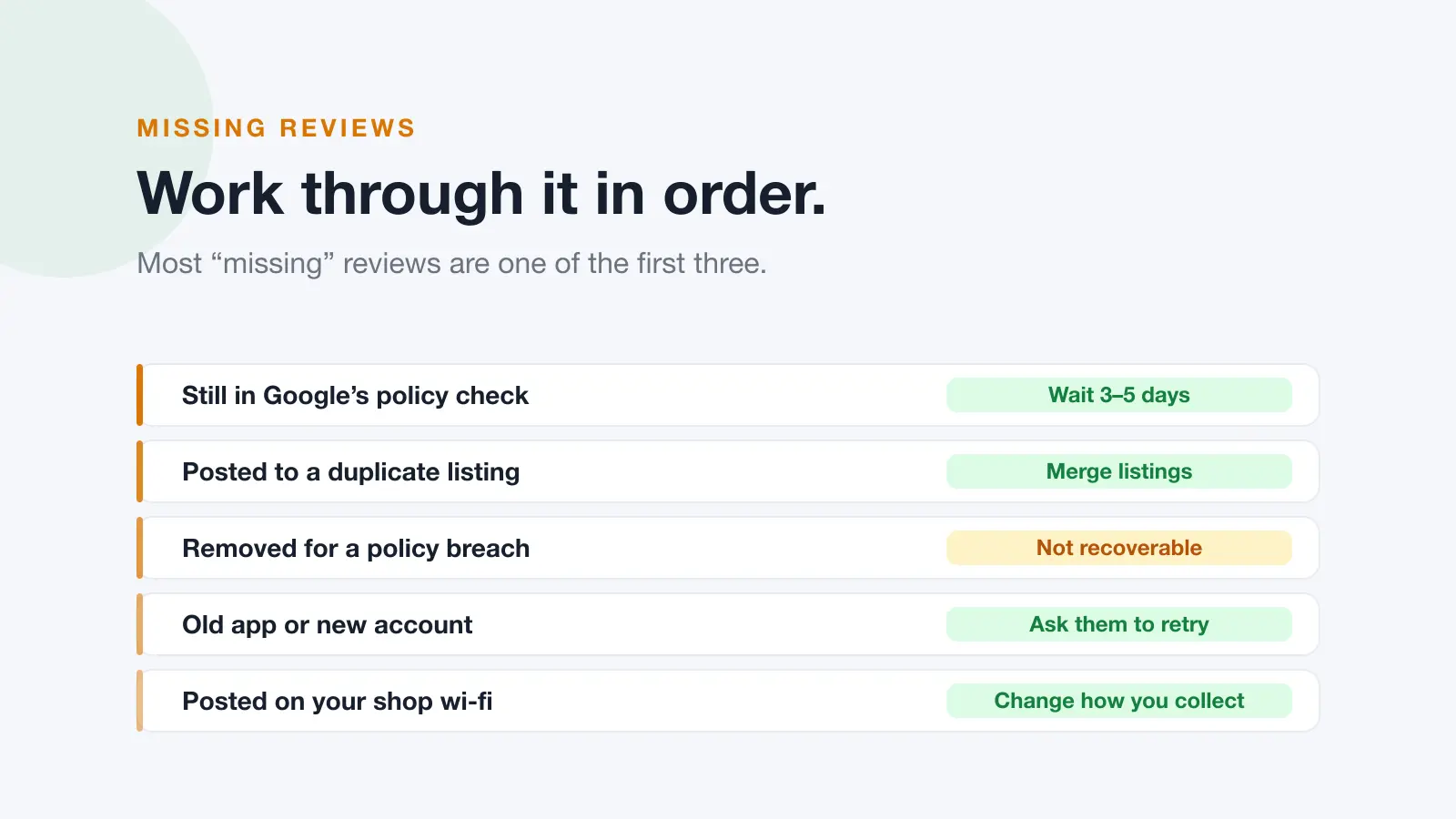
A Google review usually isn't showing for one of three reasons: Google is still checking it, it was posted to a different or duplicate listing, or it was removed for breaking a content policy (most often because it named a staff member or included a link). Less often, the cause is the reviewer's app, the way the reviews were collected, or the status of the business profile itself.
You can usually tell which in a minute by comparing what the reviewer sees in their own Google Maps profile with what a signed-out visitor sees on the business profile. The rest of this guide covers the seven causes, split by whether you wrote the review or own the business, and which ones you can actually fix.
The one-minute check
Two views tell you almost everything. Do them in this order.
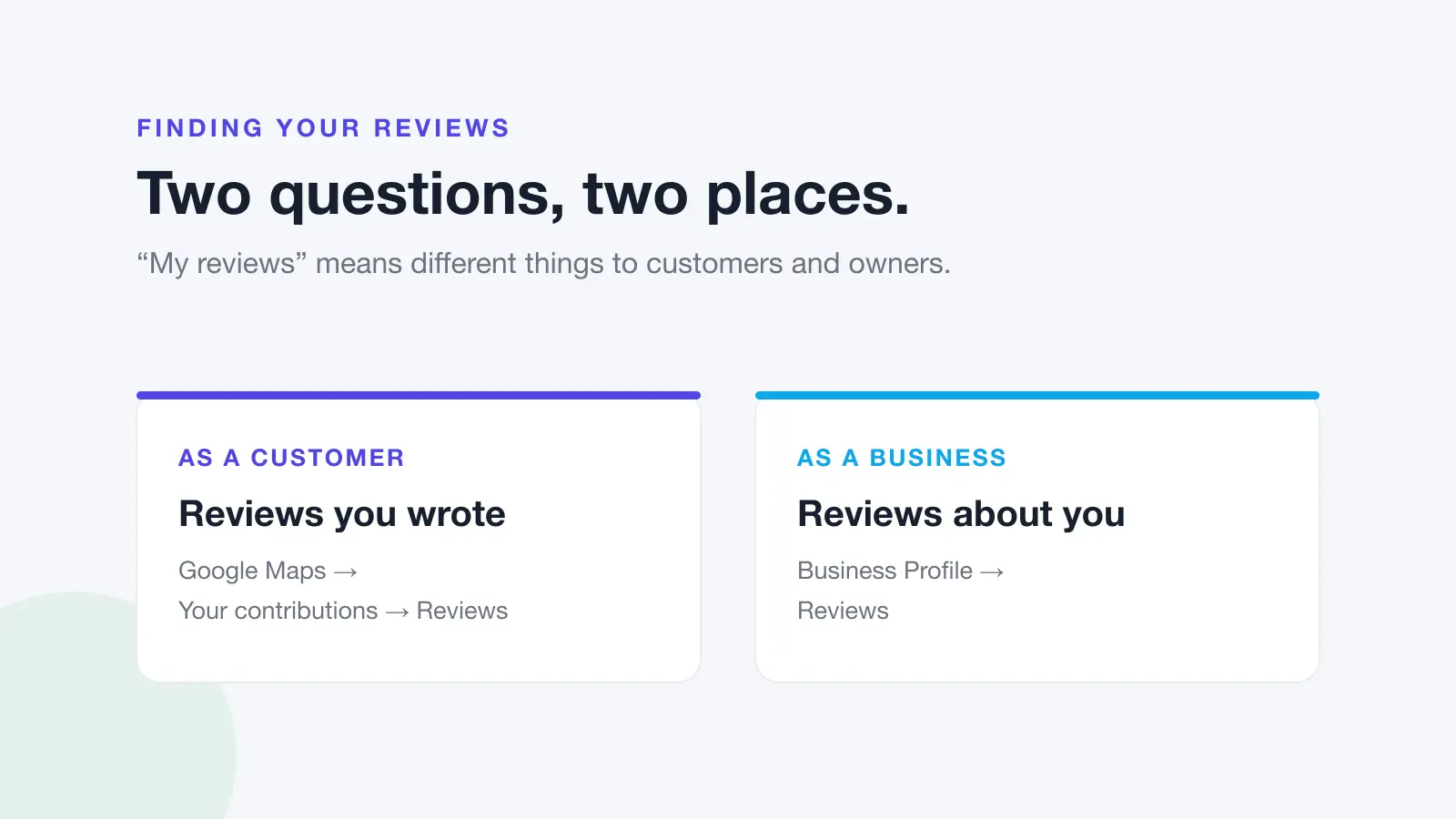
- The reviewer's view. The person who wrote the review opens Google Maps, signed in to the account they posted from, and goes to Your contributions, then Reviews. Google says the status of removed or rejected content is shown on the author's Maps profile, so this is where a removal shows up.
- The public view. Open the business profile in a private or incognito browser window, so you're signed out, and sort the reviews by newest. This is what customers see. Business owners in particular should never rely on the signed-in view of their own profile.
Then read the result:
- Not in the reviewer's contributions at all: it was never posted, or it was posted from a different Google account.
- In their contributions, marked as removed or not published: Google took it down for a policy breach. See cause 2.
- In their contributions with no warning, but not on the public profile: it's either still in the policy check (cause 1), on a different listing (cause 5), or quietly filtered. In many cases a filtered review still appears to its author while they're signed in, which is why the signed-out check matters.
- On the public profile, just not where you expected: check the sort order and the listing. You may be looking at the wrong branch. If you're not sure how to find them, see how to see your Google reviews.
If you wrote the review
1. It's still being checked
Google checks reviews against its content policies before they appear. Most go up quickly, but Google says the check can delay a review by a few days.
What to do: wait three to five days before treating it as missing. Don't post it again in the meantime. A second copy of the same review from the same account looks like spam and can get both filtered.
2. It was removed for breaking a content policy
Google removes reviews that breach its review policy, both through its automated systems and after reports. Reviews written in good faith get caught more often than people expect. The usual triggers are:
- Naming staff. Identifying an employee can fall under the personal information policy, and glowing reviews get removed for this too.
- Links, phone numbers or promotion. Google treats these as advertising and solicitation.
- Conflicts of interest. Reviews from employees, relatives, or anyone with a stake in the business.
- Off-topic content. Complaints about a national brand, a government policy, or something that didn't happen at that location.
- Profanity or personal attacks, even inside an otherwise fair complaint.
What to do: check your Maps profile for the removal notice. If you think Google got it wrong, Google lets you appeal most content removals from that same profile page. If the appeal succeeds, the review is restored. If it's denied, it stays down. You only get one appeal per removal, and editing or deleting the review while the appeal is open cancels it. If the review really did break a rule, Google won't restore it, but you can write a new one that leaves out the problem detail, usually the staff member's name. The steps for posting are in how to leave a Google review.
3. You posted from a different account, or to a different place
If you have more than one Google account (work and personal is the common one), the review sits under whichever account was signed in at the time. It's also easy to review the wrong branch of a chain, or an old listing that still turns up in Maps.
What to do: check Your contributions on each account you use. If the review went to the wrong place, delete it there and post it on the right listing. If it's on the right listing but needs a correction, you can edit your Google review rather than starting again.
4. Your app or device got in the way
Google notes that people on older phones or out-of-date software can have trouble leaving reviews, and recommends updating the Google Maps app.
What to do: update Google Maps and try again, or post from a computer at google.com/maps instead.
If it's your business
5. It's on a duplicate, old or merged listing
This is the most under-diagnosed cause. If your business has a duplicate listing, a listing at an old address, or several branches nearby, customers can review the wrong one. The review is showing perfectly well, just not where you're looking.
What to do: search your business name in Google Maps and go through every result, including old addresses and variations on the name. Ask Google to merge any duplicates. Google says that after profiles are merged it can take a few days for reviews from both to appear, so don't panic if the count dips briefly.
6. Google filtered the way the reviews were collected
When several reviews vanish at once, the cause is usually the pattern rather than any single review. Reviews left on a shop tablet or over your business wi-fi come from the same device or connection, and Google's fake-engagement filtering treats that pattern as suspicious. A sudden burst of reviews, or reviews from brand-new accounts with no other activity, can be filtered for the same reason.
What to do: stop collecting reviews on a shared device and send customers a link to use on their own phone instead. Ask steadily rather than in campaigns. How to ask for Google reviews without breaking the rules covers what's allowed.
7. Your profile's status is hiding them
A few causes come from the profile itself rather than the review:
- Suspended profile. A suspended profile generally drops out of Maps and its reviews go with it. Work through Google's reinstatement process.
- Reinstated profile. Google says some reviews may be removed after a profile is reinstated, and suggests contacting Google Business Profile support if that happens.
- Reviews temporarily disabled. Google says it may temporarily turn off reviews and other user content for some profiles or business categories, to protect business owners. It has also removed reviews from, and stopped new reviews on, profiles whose main category is a school for students aged 6 to 18. Universities, day care centres and swim schools are excluded.
- Unverified profile. Reviews can still collect on an unverified profile, but you can't reply to them until you verify, so it's worth fixing even if nothing is missing.
What to do: check the status banner in your Business Profile. And if the problem is the opposite, a fake review that is showing, see how to report a fake Google review.
Quick diagnosis
| Symptom | Most likely cause | Fixable? |
|---|---|---|
| Posted in the last few days | Still in the policy check | Wait |
| Not in the reviewer's contributions | Never posted, or posted from another account | Yes. Post from the right account |
| Marked as removed in the reviewer's profile | Policy removal | Reviewer can appeal once, or repost without the problem detail |
| Review named a staff member or had a link | Personal information or advertising policy | Repost without it |
| In the reviewer's contributions, not on your public profile | Still being checked, wrong listing, or filtered | Usually. Check listings, then wait |
| Shows on a listing you didn't know about | Duplicate or old listing | Yes. Merge listings |
| Count dropped just after a merge | Merge still settling | Wait a few days |
| Several reviews vanished at once | Spam filtering, often a shared device or wi-fi | Change how you collect |
| Rating changed but no new review text | A rating-only review, which shows no text | Nothing to fix |
| Reviews missing after a reinstatement | Removed during reinstatement | Contact Business Profile support |
| No one can leave a review at all | Reviews disabled for the profile or category | Not by you |
| Whole profile missing from Maps | Suspension | Yes. Reinstatement |
Preventing it
You can't stop Google removing reviews that break its rules, but most avoidable losses come down to customers landing in the wrong place or posting in a way that looks like spam. Four habits cover most of it:
- Send a direct review link so customers land on the right listing with the review box already open. Our free Google review link generator makes one for your business in a few seconds.
- Let customers review from their own devices, never a shared tablet or your wi-fi.
- Keep your listings clean: merge duplicates and close old addresses properly.
- Stay verified, so you can reply when something does go wrong.
If you have several locations, the link matters even more, because each branch needs its own. Dinopix Reviews can email every customer a review request once their order is marked delivered, with a separate review link for each location so customers are always sent to the right branch. Every customer is asked the same way, which keeps you inside Google's rules on asking. Automated review requests are part of the Full CRM automation add-on, which is bundled free on the Scale, Agency and Enterprise plans.
Frequently Asked Questions
Why is my Google review not showing up?
The most common reasons are that it's still going through Google's policy check, which can take a few days, that it was posted to a different or duplicate listing, or that it was removed for breaching a content policy, often for naming a staff member or including a link. Check your Google Maps profile under Your contributions: Google shows the author there if a review was removed.
Does Google tell you when it removes your review?
It tells the reviewer, not the business. Google says it gives contributors information about its policy enforcement decisions, and the status of removed or rejected content appears on the author's Google Maps profile. Many reviewers also report getting an email when a review isn't published. The business owner isn't told, and removed reviews don't appear anywhere on the business profile.
Can a removed Google review be reinstated?
Only through the reviewer. The person who wrote it can appeal most content removals from their Google Maps profile, once. If Google agrees it was removed in error, the review is restored. A business owner has no way to appeal the removal of a review someone else wrote, and Google won't restore a review that genuinely broke its policies.
Why did several of my reviews disappear at once?
Bulk disappearances usually point to spam filtering or a change to the profile rather than individual policy removals. The common causes are reviews collected on a shared device or over one wi-fi connection, a burst of reviews in a short window, a profile merge that's still settling, or a reinstated profile. Change how you collect reviews rather than trying to replace the lost ones.
My review count dropped but I can't see which review went. What now?
Google doesn't show businesses which reviews were removed, so you need your own record to compare against. If you get Google's new-review notification emails, those are one. Otherwise, ask recent reviewers to check their Your contributions page, where a removal shows up on their side.
Do star-only ratings count as reviews?
They count towards your average rating but display no text, so they can look like a missing review when a customer tells you they "left a review". If your rating moved but no new written review appeared, a rating-only submission is the likely explanation, and nothing is wrong.
How long does a Google review take to show up?
Most appear within minutes. Google says its policy check can delay some reviews by a few days, and reviews from merged profiles can take a few days to appear. If a review still isn't showing after about a week, work through the one-minute check above.
Sources
This guide draws on the primary sources below. Google's policies change. Always check the current version.
- About missing or delayed reviews · Google Business Profile Help
- Prohibited & restricted content · Maps user contributed content policy
- Appeal Maps user-generated content policy enforcement actions · Google Maps Help
- Google Maps policies and enforcement · Google Maps Help
- Add, edit, or delete your Google Maps reviews · Google Maps Help