Can You Edit a Google Review?

Yes, you can edit a Google review you wrote, any time and as often as you like. Steps for phone and desktop, and why editing resets the review's date.
Yes, if it's a review you wrote. You can edit any Google review you posted, at any time, as many times as you like. What you cannot do is edit a review someone else wrote about your business, and there's no mechanism anywhere that allows it.
The editing itself takes under a minute. The part worth understanding is what editing does to the review's date, and why editing is often a better outcome than deleting for everyone involved.
📌 Key Takeaway: Open Google Maps → Your contributions → Reviews, then use the More menu next to the review and choose Edit review. Note that Google displays the date of your last edit as the review's post date.
How to edit a Google review you wrote
On a computer
Go to google.com/maps and check you're signed in to the account you used to post the review.
Open the menu (☰) and select Your contributions.
Open the Reviews tab.
Find the review, click More (⋮) beside it, and choose Edit review.
Change the star rating, the text, or both, then post the update.
On the Google Maps app
Open Google Maps and tap your profile picture.
Tap Your contributions, then the Reviews tab. If the review isn't listed there, see why your Google review isn't showing.
Tap More (⋮) next to the review and choose Edit review.
Update and post.
You can change the rating and the text independently, dropping a five to a three without touching a word is perfectly possible, as is rewriting the text while leaving the stars alone.
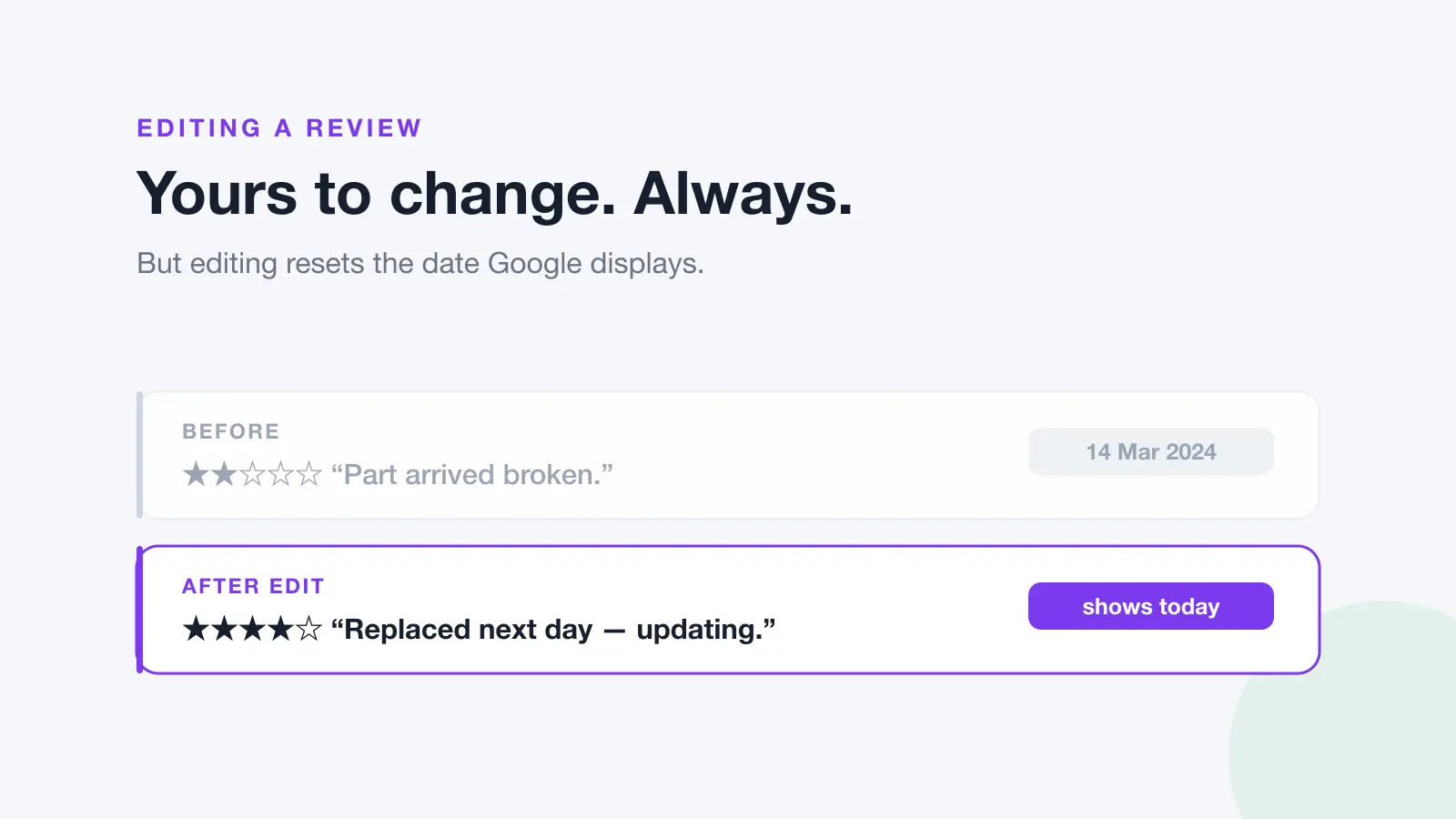
⚠️ Warning: Editing changes the review's displayed date. Google states that if you edit a review, the date of the last edit shows up as the review's post date. A three-year-old review you tweak today will appear at the top of the business's reviews as though it was written today, useful if you intend that, misleading if you don't.
Edit or delete?
People reach for delete when edit is usually the better tool.
Situation | Better option | Why |
|---|---|---|
The business fixed your problem | Edit | Shows the next customer how they handle complaints, more useful than silence |
You got a fact wrong | Edit | Corrects the record without erasing your experience |
Your opinion changed over time | Edit | Keeps the history; add "update:" and the new view |
You wrote it in anger and regret it | Edit or delete | Either is fine; edit if the underlying complaint was fair |
You reviewed the wrong business | Delete | There's nothing to correct. It doesn't belong there |
You no longer want your name attached | Delete | Editing keeps it public under your account |
Deletion is permanent and can't be undone. If you're unsure, edit first. You can always delete later.
🔍 Expert Insight: An edited review that shows its own history, "originally 2 stars; the owner called the next morning, replaced the part and refunded the callout, so updating to 4", is one of the most persuasive things that can appear on a business's profile. It's more convincing than any untouched five-star review, because it demonstrates behaviour under pressure rather than just satisfaction. Businesses that resolve complaints well should be actively hoping for edits rather than deletions.
If you're the business
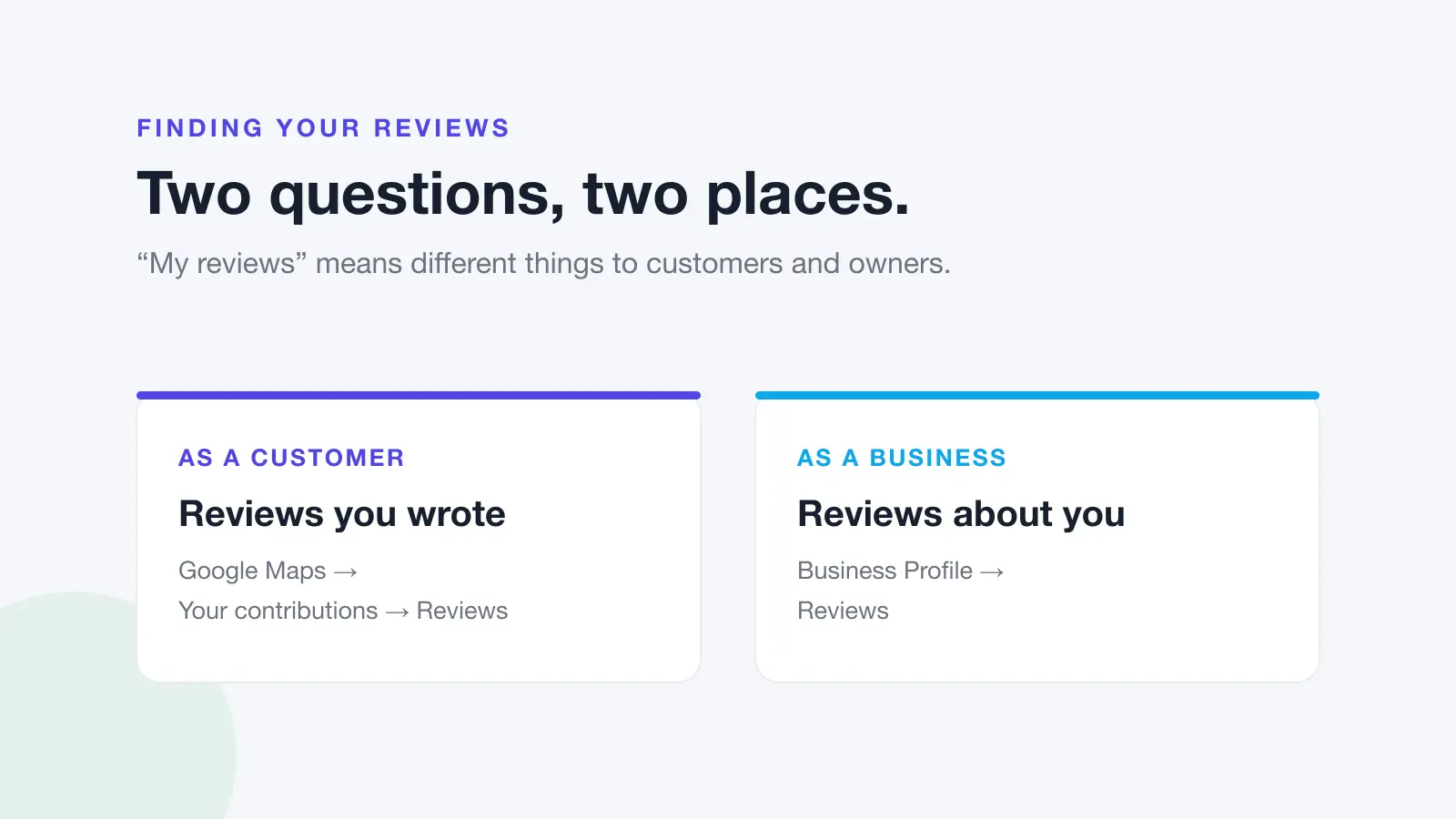
You cannot edit a review about your business, and you can't ask Google to alter one. Your options are narrower and all indirect:
Reply publicly. Your reply sits under the review permanently, and the reviewer is notified when you post it, which is precisely the moment they might reconsider.
Resolve it privately, then let them decide. Fix the problem and mention that they're welcome to update their review if they feel differently. Do not make the fix conditional on them changing it.
Report it, if it breaches policy. Only if it genuinely breaks Google's rules. See how to report a fake Google review.
Outweigh it. One bad review against twelve is a problem; against a hundred and twenty it barely registers.
⚠️ Warning: Never offer a refund, discount or free service on the condition that a customer changes or removes their review. That conditions an incentive on the sentiment of a review, prohibited by Google's policies, and directly targeted by the FTC's 2024 rule on consumer reviews. Fix the problem because it needs fixing, and let the customer choose freely what to do about their review.
For the fuller picture on what businesses can and can't do about reviews they don't like, see can you delete a Google review and how to remove a Google review.
The durable answer, though, is volume, and that means asking every customer, every time. Dinopix Reviews automates the asking and puts every Google and Facebook review in one inbox so you can reply while it still matters.
Frequently Asked Questions
Can you edit a Google review after posting it?
Yes, if you wrote it. Open Google Maps, go to Your contributions, then Reviews, and use the More menu next to the review to select Edit review. You can change the star rating, the text, or both, and you can edit as many times as you like. You cannot edit a review that someone else wrote.
Does editing a Google review change its date?
Yes. Google displays the date of the most recent edit as the review's post date, so an edited review appears as though it was written on the day you changed it. This is worth knowing before making a minor tweak to an old review. It will resurface at the top of the business's reviews.
Can a business edit or remove my review?
No. Businesses have no ability to edit, hide or delete reviews about them. They can reply publicly, and they can report a review to Google if they believe it breaches a content policy, but the decision to remove it rests entirely with Google, and businesses cannot alter what a review says.
Will the business be notified if I edit my review?
There's no specific "this review was edited" notification, but the change is visible on their profile and their overall rating adjusts accordingly. Because editing also updates the displayed date, an edited review tends to be noticed, it moves back to the top of their recent reviews.
Can I change only the star rating without changing the text?
Yes. The rating and the text are edited independently, so you can adjust the stars while leaving your original wording intact, or rewrite the text without moving the rating. Bear in mind that a rating that no longer matches the text tends to confuse readers, so it's usually worth updating both.
Is it better to edit a review or delete it and write a new one?
Editing is almost always better. It preserves the review's history and its replies, and an edit that shows a problem being resolved is more useful to other customers than a fresh review with no context. Delete only when the review doesn't belong at all, for instance if you reviewed the wrong business, since deletion is permanent and can't be undone.
Sources
This guide draws on the primary sources below. Google's interface and policies change. Always check the current version.