Managing Your Business Reputation on Google Maps: A Comprehensive Strategy Guide

Learn effective strategies for managing your business reputation on Google Maps. Discover tips for handling reviews, improving your listing, and enhancing customer trust.

Your Google Maps business reputation directly impacts your bottom line. With 70% of smartphone users relying on Google Maps for navigation and discovering local businesses, your reputation on this platform can make or break your success. The stakes are high: businesses in the top three positions of the Google Maps pack capture 48.1% of all clicks, while the #1 position receives 44% more driving direction requests than position #3.
For intermediate business owners who understand basic digital marketing principles, managing your Google Maps reputation requires a strategic, multi-faceted approach. This guide will walk you through proven strategies to build, maintain, and recover your reputation on Google's most influential local discovery platform.
Understanding the Google Maps Reputation Ecosystem
Before diving into specific strategies, it's crucial to understand how Google Maps reputation works. Your reputation consists of several interconnected elements that Google's algorithm considers when determining your local search ranking and visibility.
The Components of Google Maps Reputation
Your Google Maps reputation isn't just about star ratings. Google considers multiple factors:
- Review quantity and recency: Fresh reviews signal active customer engagement
- Review quality and relevance: Detailed, authentic reviews carry more weight
- Response rate and quality: How you engage with customer feedback
- Overall rating trends: Consistent improvement over time
- Review velocity: The rate at which you receive new reviews
Research shows that 90% of consumers read at least two reviews before choosing a business, with 80% of those reviews found on Google. This makes your Google Maps presence the most critical component of your online reputation.
Optimizing Your Google Business Profile for Reputation Success
Your Google Business Profile serves as the foundation for your Google Maps business reputation. Proper optimization creates the framework for positive reputation management.
Complete Profile Information
Ensure every section of your Google Business Profile is thoroughly completed:
- Accurate business name, address, and phone number (NAP consistency)
- Comprehensive business description with relevant keywords
- High-quality photos showcasing your products, services, and team
- Current operating hours and holiday schedules
- Website URL and social media links
- Business categories and attributes
Strategic Photo Management
Visual content significantly impacts customer perception. Upload professional photos regularly, including:
- Exterior and interior shots of your business
- Product or service demonstrations
- Team members in action
- Customer interaction moments
- Seasonal or promotional content
Building a Proactive Review Generation Strategy
With 81% of consumers using Google reviews to evaluate local businesses and 88% reading them before choosing one, generating consistent positive reviews is essential for reputation management.
Timing Your Review Requests
The timing of review requests significantly impacts response rates and review quality. Implement these timing strategies:
- Post-purchase satisfaction: Request reviews immediately after positive customer interactions
- Follow-up sequences: Send automated follow-ups 24-48 hours after service completion
- Milestone moments: Ask for reviews after reaching project milestones or completing major services
- Seasonal campaigns: Leverage busy seasons when customer satisfaction is typically higher
Multi-Channel Review Request Approach
Diversify your review generation efforts across multiple touchpoints:
- In-person requests: Train staff to ask satisfied customers for reviews
- Email campaigns: Include review requests in transactional and follow-up emails
- SMS campaigns: Send review requests via text for immediate mobile engagement
- QR codes: Display QR codes linking directly to your Google review page
- Website integration: Add review request widgets to your website
Mastering Review Response Strategies
How you respond to reviews—both positive and negative—significantly impacts your overall reputation and influences potential customers' perceptions.
Responding to Positive Reviews
Don't overlook positive reviews. Responding to them:
- Shows appreciation for customer loyalty
- Demonstrates active engagement with your community
- Provides opportunities to highlight specific services or products
- Encourages repeat business and referrals
Keep positive responses personalized, brief, and genuine. Thank customers by name when possible and mention specific details from their experience.
Handling Negative Reviews Professionally
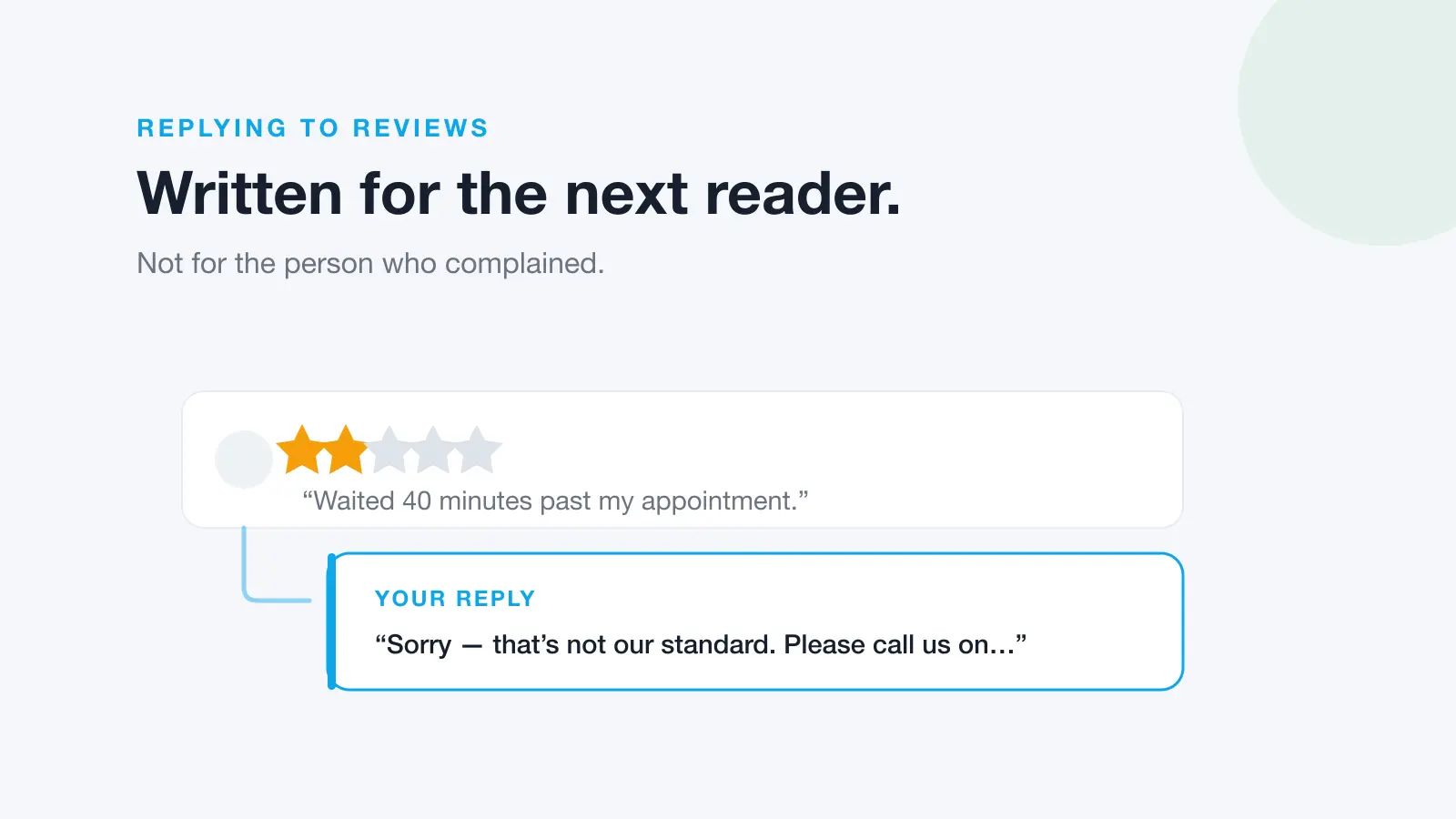
Negative reviews present opportunities to showcase your customer service commitment. Follow this response framework:
- Acknowledge promptly: Respond within 24 hours to show you care
- Apologize genuinely: Take responsibility without admitting legal fault
- Address specifically: Reference the customer's specific concerns
- Offer resolution: Provide a clear path forward
- Move offline: Invite further discussion via phone or email
- Follow up: Update the response if the issue is resolved
Advanced Google Maps Reputation Management Techniques
For businesses looking to gain competitive advantages in their Google Maps business reputation, advanced techniques can provide significant improvements.
Reputation Monitoring and Analytics
Implement comprehensive monitoring systems to track:
- Review velocity and trends over time
- Competitor review performance and strategies
- Keyword mentions in customer reviews
- Review sentiment analysis
- Response time benchmarks
- Conversion rates from Google Maps traffic
Local SEO Integration
Your reputation management efforts should align with broader local SEO strategies:
- Citation consistency: Ensure NAP information matches across all platforms
- Local keyword optimization: Incorporate location-based keywords in responses
- Schema markup: Implement review schema on your website
- Local content marketing: Create content that encourages local engagement
Reputation Recovery: Bouncing Back from Crisis
Even well-managed businesses may face reputation crises. Having a recovery plan is essential for maintaining your Google Maps business reputation during challenging times.
Crisis Response Protocol
When facing a reputation crisis:
- Assess the situation: Determine if the crisis is isolated or widespread
- Respond quickly: Address all negative reviews within hours, not days
- Be transparent: Acknowledge issues honestly and outline corrective actions
- Implement changes: Make actual improvements to prevent future issues
- Amplify positive voices: Encourage satisfied customers to share their experiences
- Document improvements: Show potential customers how you've addressed concerns
Long-term Reputation Rehabilitation
Reputation recovery requires sustained effort:
- Increase review generation frequency to dilute negative feedback
- Improve service quality based on recurring complaint themes
- Engage in community activities to rebuild local trust
- Leverage customer success stories across marketing channels
- Monitor progress through reputation tracking tools
Measuring and Optimizing Your Reputation Management Efforts
Effective reputation management requires continuous measurement and optimization. Track these key performance indicators:
Primary Metrics
- Overall rating: Your average star rating trend over time
- Review volume: Number of new reviews per month
- Response rate: Percentage of reviews you respond to
- Response time: Average time between review posting and your response
- Sentiment score: Overall positive vs. negative review sentiment
Business Impact Metrics
- Google Maps click-through rates to your website
- Driving directions requested from Google Maps
- Phone calls initiated from your Google Business Profile
- Local search ranking positions
- Conversion rates from Google Maps traffic
Managing your Google Maps business reputation effectively requires the right tools and strategies. Consider implementing reputation management software that can automate review monitoring, response management, and performance tracking to maintain consistency and efficiency in your efforts.
Ready to take control of your Google Maps reputation? Dinopix Reviews offers comprehensive reputation management tools that help businesses monitor reviews, respond with AI-powered assistance, and grow their brand presence. Streamline your reputation management efforts and focus on what you do best—serving your customers.
Frequently Asked Questions
How often should I check and respond to Google Maps reviews?
Check for new reviews daily and respond within 24 hours. This shows potential customers that you're actively engaged and care about customer feedback. Set up automated notifications to ensure you never miss a review.
What should I do if I receive a fake negative review?
First, respond professionally as you would to any review. Then, flag the review through Google's reporting system if you believe it violates Google's policies. Document evidence that supports your claim that the review is fake, such as lack of customer records or obvious signs of spam.
How many reviews do I need to maintain a strong Google Maps reputation?
While there's no magic number, aim for a consistent flow of reviews rather than a specific total. Generally, businesses with 50+ reviews see improved trust from consumers. Focus on generating 2-4 new reviews per month consistently rather than trying to get many reviews quickly.
Can I remove negative reviews from Google Maps?
You cannot directly remove legitimate negative reviews. However, you can flag reviews that violate Google's policies for potential removal. The best approach is to address negative reviews professionally and work to generate more positive reviews to improve your overall rating.
How long does it take to see improvements in my Google Maps reputation?
You may see immediate improvements in customer perception from professional review responses, but significant rating changes typically take 2-3 months of consistent reputation management efforts. Local search ranking improvements may take 3-6 months as Google evaluates your sustained engagement and review patterns.
Should I incentivize customers to leave Google reviews?
Avoid offering direct incentives for reviews, as this violates Google's policies and can result in penalties. Instead, make it easy for customers to leave reviews by providing direct links and asking at the right moments. Focus on providing exceptional service that naturally motivates customers to share positive experiences.