Multi-Location Reputation Management: An Operating Playbook

A practical playbook for managing reviews across many locations: who replies, brand voice, response times, review requests, per-location reporting and a monthly rhythm.
With one shop, reputation management is simple: the owner reads the reviews and replies to them. With twelve shops it quietly falls apart. One manager replies to everything within an hour, another hasn't logged in since winter, a third writes replies that sound nothing like the brand, and head office finds out about a bad month at one site when the regional rating has already slipped.
None of that is a software problem first. It's an operating problem: nobody has agreed who owns which reviews, what a good reply looks like, how fast it should happen, or how anyone will know if it doesn't. This playbook sets out the decisions a business with five, fifty or five hundred locations needs to make, in the order that makes them easiest to stick to.
1. Get the foundations right on Google
Most of a multi-location business's reviews arrive on Google, so start with how the Business Profiles themselves are organised.
Use a business group, not a shared password. Google's Business Profile Help describes business groups as "a shared folder for your profiles" and recommends them over sharing one account's username and password. Owners and managers of a group can create, edit and delete profiles within it. If you're starting from scratch with several locations, Google recommends creating the group first and adding, verifying and managing your profiles through it.
Know the difference between owners and managers. According to Google, managers have mostly the same access as owners, including responding to reviews, but can't add or remove users or remove a profile. Each profile can have several owners but only one primary owner. Give local managers manager access, keep ownership with the business, and never let the only owner be someone who might leave.
Keep names and categories consistent. Google's guidelines for chains say all locations should use the same name unless the business is consistently represented differently in the real world, and the same category if they provide the same service. Inconsistent names make it harder for customers to recognise your locations, and harder for you to compare them.
Verify in bulk if you can. Google says that if you have 10 or more locations of the same business, you can request bulk verification through Business Profile Manager. It also notes that agencies holding more than one business in one account can't bulk verify, and that you may be asked for evidence if the number of profiles doesn't match the size of the chain.
Google review reply templates
20 replies you can copy and edit, from a 5-star thank-you to a fair answer to a 1-star complaint. Free, by email.
We'll email the templates from support@dinopix.com.au, then about one email a month with new review guides and Dinopix product news. Unsubscribe in one click from any email. Privacy policy
2. Decide who owns each review
The most common failure in multi-location reputation management isn't a bad reply. It's no reply, because everyone assumed someone else had it.
There are three workable models:
- Central. A small team at head office replies to every review. Replies are consistent and fast, but the team doesn't know that the Penrith store's fridge broke on Tuesday, so replies can feel generic.
- Local. Each location manager replies to their own reviews. Replies are specific and personal, but quality and speed vary from site to site, and nobody notices when a manager goes quiet.
- Hybrid. Local managers reply to their own reviews within a set time. Anything they haven't handled, and anything serious, goes to a central team.
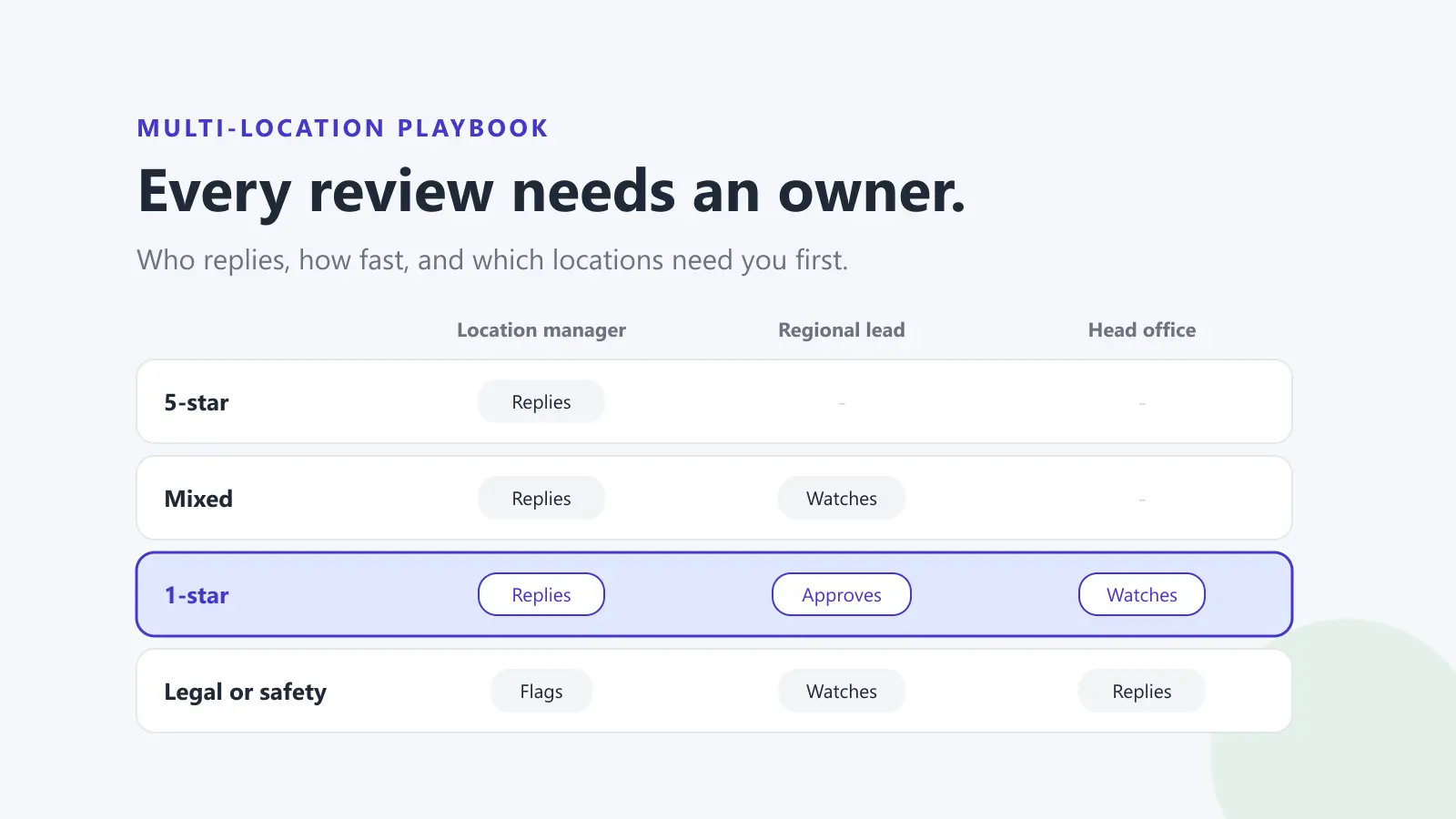
For most businesses the hybrid model works best, because the person closest to the problem answers, and someone with authority catches what falls through. Whichever you pick, write it down and make it visible: every review should have one named person responsible for it.
Then decide what needs approval. A reasonable default is that positive and neutral reviews can be answered locally without sign-off, while one-star reviews, anything mentioning a staff member by name, safety, discrimination, legal threats or media go to a regional or central lead before a reply is posted.
3. Write a brand voice guide and reply templates
Customers reading reviews for your Brisbane store don't know or care that a different person runs it from your Sydney store. They expect the same brand to sound like the same brand.
A one-page voice guide is enough. Cover:
- Tone. For example: warm, plain English, short sentences, no corporate phrases.
- How to sign off. A first name and location ("Hannah, Bloom Cafe Penrith") feels more human than "The Management".
- Words and promises to avoid. Refunds or compensation offered in public, admissions of fault on legal matters, and anything that names or blames a staff member.
- When to take it offline. Give the contact details to use, so customers aren't asked to "DM us" on a platform where they can't.
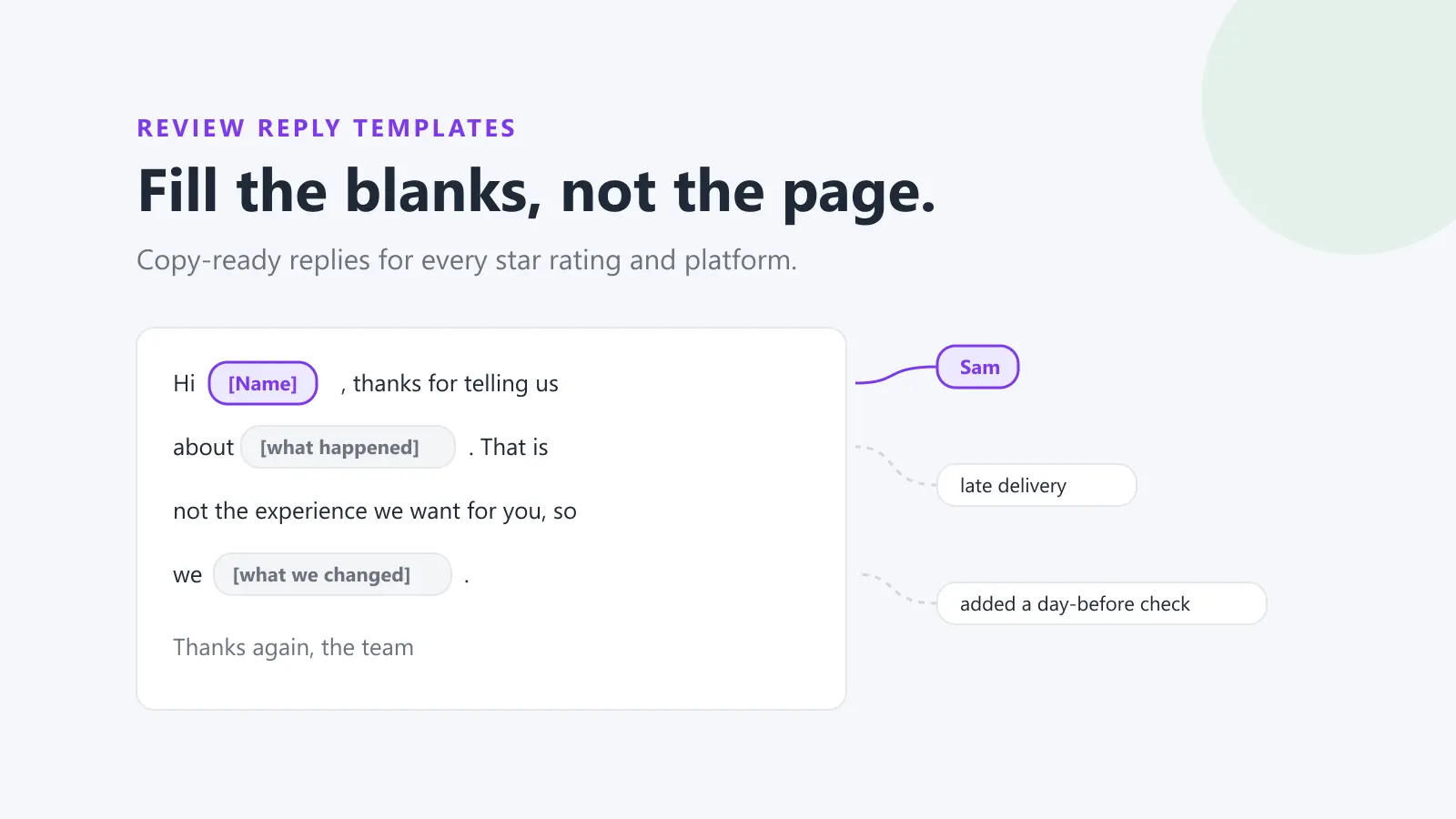
Add a small set of templates by situation: a positive review that mentions a staff member, a positive review with no detail, a mixed review, a complaint about wait times, a complaint about product quality, and a review you think is fake. Templates are a starting point, not a script. Google's own tips for replying to reviews advise keeping replies short and simple, being conversational rather than promotional, and focusing on reviews where you can share a helpful update or answer a question rather than sending the same "thank you" to everyone.
Our guide on building a review response strategy your team can follow goes deeper on the wording, and how to respond to negative reviews covers the hard ones.
4. Set response-time targets and escalation rules
A target nobody measures isn't a target. Pick numbers your team can actually meet and that you'll check every month. For example:
- Negative reviews (1 and 2 stars): a first reply within one business day, after any required approval.
- Everything else: a reply within three business days.
- Escalated reviews: acknowledged by the central lead the same day.
Write down who covers weekends and public holidays, and what happens when a location manager is on leave. The point of the rule is that a review left on Saturday morning shouldn't sit unanswered until a manager comes back from two weeks off.
Escalation rules need to be just as specific. List the triggers (safety, health, discrimination, legal threats, journalists, a named staff member, a run of negative reviews in a short time), who each one goes to, and how quickly. A manager should never have to guess whether something is serious enough to pass up.
5. Ask for reviews at every location, from every customer
Locations with few reviews are easy to overlook and easy to damage: one angry review moves a small average a long way. A steady flow of reviews at every site keeps each rating representative.
Two rules apply everywhere:
- Ask every customer, not just the happy ones. Google's prohibited and restricted content policy says merchants must not discourage or prohibit negative reviews or selectively solicit positive reviews. Asking only customers you expect to be satisfied, sometimes called review gating, breaks that rule. See what review gating is and whether it's illegal.
- Never offer anything in return. Google says offering incentives such as payment, discounts or free goods or services in exchange for posting a review is not allowed. Its policy also says merchants shouldn't require or pressure customers to leave reviews while on the premises, or ask staff to collect a set number of reviews.
Make asking easy and consistent instead. Google's tips suggest sharing a review link or QR code with customers. Give each location its own link or QR code (you can create one with our free Google review link generator), put it on receipts, follow-up emails and the counter, and make the ask part of the normal end of a visit. How to ask for Google reviews without breaking the rules has the details.
6. Report per location, not just in total
A network-wide average hides the locations that need help. If nineteen sites sit at 4.6 and one has dropped to 3.8, the average barely moves.
Track these for every location, every month:
- Average rating, and how it moved since last month.
- Review volume. A sudden drop can mean a location has stopped asking; a sudden spike can mean a problem, or a campaign.
- Reply rate, the share of reviews that got a reply.
- Response time, how long a typical review waited for its first reply.
- Sentiment and topics. Stars tell you how customers felt; the words tell you why. Recurring mentions of wait times, cleanliness or a particular product are more useful than the number.
Rank locations from lowest to highest so the ones that need attention are at the top of the report, not buried in the middle. When you're setting goals, our review rating calculator shows how many new five-star reviews it would take to move a location's average, which keeps targets realistic. If you also run customer surveys, the NPS calculator gives each location a comparable score from survey data.
7. Run a monthly review rhythm
Reporting only helps if someone acts on it. A simple monthly rhythm keeps the whole network honest:
- Week 1: send the report. Every location manager gets their own numbers and the network ranking.
- Week 1: review the bottom three. A regional or central lead looks at the three lowest-rated or slowest-replying locations and agrees one specific action with each manager, such as fixing a recurring complaint or catching up on unanswered reviews.
- Week 2: share what works. Pick one strong reply and one location that improved, and share them with every manager. It's the cheapest training you'll ever run.
- Every quarter: check the system. Update templates, check that every location still has an active manager with access, remove users who have left, and confirm that each location's review link still works.
The quarterly access check matters more than it sounds. Staff turnover is constant in multi-location businesses, and Google's help notes that a profile must have another owner or manager before primary ownership can be transferred. Finding out a former manager was the only owner of a profile is a slow problem to fix.
How software fits in
Everything above can be done with spreadsheets and the Google Business Profile Manager, and for a handful of locations that's fine. Past that, the work of noticing new reviews, routing them and measuring replies becomes the bottleneck.
Dinopix's multi-location review management software is built for this playbook. Reviews from every location and platform land in one inbox, filtered by location or by groups you define, such as states, formats or sub-brands. Each review can be assigned to the manager of the location it came from, with a regional manager watching. Google is connected once with the account that manages your profiles, and every location it can see is listed together. Analytics ranks every location lowest first and tracks rating, volume, sentiment, topics and response time against the previous period, with CSV or PDF exports and weekly or monthly email summaries for managers. AI reply suggestions follow a shared brand voice and never-say list, and a person reviews them unless you set up auto-reply rules. See plans and pricing for how locations are counted.
Frequently Asked Questions
Should each location manage its own Google Business Profile?
Each location manager can be given manager access to their own profile so they can reply to reviews, while the business keeps ownership. Google's help says managers can respond to reviews and edit most information but can't add or remove users or remove the profile. Keeping ownership centrally means the business doesn't lose control of a profile when a manager leaves.
What is a Google business group?
Google describes a business group as a shared folder for Business Profiles that lets several people manage a set of profiles without sharing a password. Owners and managers of the group can create, edit and delete profiles in it. Google recommends business groups for anyone managing multiple businesses.
How quickly should a multi-location business reply to reviews?
There's no rule from Google on timing. A practical standard is a first reply to negative reviews within one business day and to everything else within a few days, with weekend cover agreed in advance. The most important thing is to pick a target, measure it per location, and act on the locations that miss it.
Can head office reply to reviews on behalf of every location?
Yes. Anyone with owner or manager access to a profile can reply to its reviews. The trade-off is that central replies can be less specific than those written by someone at the location. Many businesses use a hybrid: locations reply first, and head office handles anything escalated or left unanswered.
Can we ask only our happiest customers for reviews?
No. Google's policy says merchants must not selectively solicit positive reviews or discourage negative ones. Ask every customer in the same way, and never offer an incentive for a review.
How do we compare locations fairly?
Compare like with like: rating change, reply rate and response time are fairer than raw rating, because some locations face tougher conditions than others. Look at review volume too, since a location with few reviews can swing a long way on a single one.
Run every location from one place
If you manage reviews for more than a handful of locations, Dinopix puts every location's reviews in one inbox, gives each review an owner, and shows which locations need attention first. Start free, connect Google once, and see your whole network on one screen.
Sources
- Google Business Profile Help, Create & manage business groups
- Google Business Profile Help, Manage your Business Profile owners & managers
- Google Business Profile Help, Transfer primary ownership of a Business Profile
- Google Business Profile Help, Verify Business Profiles in bulk
- Google Business Profile Help, Guidelines for representing your business on Google
- Google Business Profile Help, Manage customer reviews
- Google Business Profile Help, Tips to get more reviews
- Google Business Profile Help, Prohibited & restricted content
Google review reply templates
20 replies you can copy and edit, from a 5-star thank-you to a fair answer to a 1-star complaint. Free, by email.
We'll email the templates from support@dinopix.com.au, then about one email a month with new review guides and Dinopix product news. Unsubscribe in one click from any email. Privacy policy